Card Printer Cleaning Kit Guide: Keep Your Printer Running
Table of Contents []
- Your Complete Card Printer Cleaning Kit Guide - Plastic Card ID
- Why Cleaning Kits Are Non-Negotiable for Card Printer Longevity
- Breaking Down What's Inside a Card Printer Cleaning Kit
- Cleaning Kit Compatibility Across Printer Brands
- Step-by-Step: How to Perform a Card Printer Cleaning Cycle
- Buying Guide: Choosing the Right Cleaning Kit for Your Setup
- Common Cleaning Mistakes and How to Avoid Them
- Keep Your Card Program Running Strong with Plastic Card ID
Your Complete Card Printer Cleaning Kit Guide - Plastic Card ID
Most card printer problems aren't hardware failures. They're maintenance failures. Dust, debris, ribbon residue, and roller buildup quietly degrade print quality over weeks and months - until one day your ID cards look streaky, your colors shift, or a ribbon snaps mid-job. The fix? A proper cleaning routine backed by the right supplies. This guide covers everything you need to know about card printer cleaning kits, how to use them, and why skipping this step costs far more than the kit itself.
CPE has supplied card printing hardware to over 100,000 businesses across the United States, and the most common support conversation revolves around one avoidable issue: neglected printer maintenance. Whether you're running an Evolis, Fargo, Zebra, or Matica system, the cleaning fundamentals are universal - and surprisingly simple once you understand them.
| Printer Type | Cleaning Frequency | Primary Kit Components | Approx. Kit Cost |
|---|---|---|---|
| Entry-Level (Badgy200) | Every 500 cards | Cleaning cards, cleaning swabs | $15-$30 |
| Mid-Range (Zenius, Primacy2) | Every 1,000 cards | Cleaning cards, roller cleaning kit | $25-$55 |
| High-Volume (Agilia, Fargo, Zebra) | Every 2,500-5,000 cards | Full cleaning kit with swabs, cards, solution | $40-$85 |
| Industrial (Matica Event) | Per event / every 1,000 cards | Complete maintenance kit | $50-$95 |
Why Cleaning Kits Are Non-Negotiable for Card Printer Longevity
Think of your card printer as precision equipment - because that's exactly what it is. The print head alone contains hundreds of micro-elements firing in precise sequences to transfer dye onto a PVC card surface. When dust or residue settles onto transport rollers, those contaminants become embedded into every card that passes through. The result starts subtly: a faint line here, a smudge there. Left unchecked, it escalates into ribbon breakage, encoder errors, and eventually print head damage that can cost $200-$600 to replace.
Preventive maintenance isn't optional - it's an investment in uptime. For organizations printing employee ID cards, hotel key cards, access control credentials, or membership cards, every hour of printer downtime translates into operational friction. A cleaning kit that costs $25-$55 can extend printer lifespan by years. That math isn't complicated - it's compelling.
The Real Cost of Skipping Maintenance
Here's a scenario that plays out regularly: a business prints loyalty cards without cleaning for six months. Ribbon breakages begin occurring every 200-300 cards instead of the standard 500. The print head starts showing dead zones - small gaps in color coverage that ruin the professional look of their cards. By the time they call for support, the print head needs replacement and the transport rollers may need servicing. Total cost: easily $400-$800 in parts and labor. The cleaning kits they skipped? Under $200 for the entire period.
Beyond financial cost, there's the workflow disruption. Mid-print failures mean reprints, wasted ribbon panels, and staff time troubleshooting instead of producing. For organizations printing student IDs at registration time or event credentials on-site, that kind of disruption doesn't just inconvenience - it derails operations entirely.
How Contaminants Enter Your Printer
Card printers sit on desks, in offices, near reception counters - environments that are never truly clean. Airborne dust settles onto rollers and into card input hoppers. PVC cards themselves shed microscopic particles during transport. Ribbon dye residue accumulates on rollers with every print cycle. Even skin oils from handling cards before loading them can transfer onto transport components and affect print consistency.
The print head is particularly vulnerable. It operates at high temperatures during printing, and any foreign material that contacts it during operation can cause permanent damage. Manufacturer warranties on print heads frequently include provisions about maintenance compliance - which means skipping cleaning kits can void coverage you're counting on.
What Manufacturers Actually Recommend
Every major card printer brand - Evolis, Fargo, Zebra, Matica - publishes cleaning interval guidelines in their documentation. Evolis printers, for example, prompt users directly on the printer display when a cleaning cycle is due. Fargo and Zebra systems include cleaning indicators tied to card count thresholds. These aren't suggestions buried in fine print - they're engineering requirements for optimal operation.
Following manufacturer cleaning schedules also matters for warranty purposes. Documented maintenance history demonstrates responsible ownership and can be critical if you ever need to make a warranty claim or seek technical support. CPE strongly recommends keeping a simple maintenance log - even a dated spreadsheet entry counts.
Breaking Down What's Inside a Card Printer Cleaning Kit
Not all cleaning kits are created equal, and understanding what each component does helps you choose the right kit and use it correctly. A basic kit might contain only cleaning cards and swabs, while a comprehensive maintenance kit includes multiple tools targeting different parts of the printer. Knowing the difference prevents both under-maintenance (missing critical cleaning points) and over-maintenance (using the wrong tools in the wrong places).
The components in a professional cleaning kit are designed to work together. Each tool targets a specific printer zone with a specific type of cleaning action. Using generic substitutes - household isopropyl wipes, cotton swabs from the drugstore - risks leaving fibers behind, introducing incompatible chemicals, or delivering insufficient cleaning power for the residue levels inside a card printer.
Cleaning Cards: The Backbone of Any Maintenance Kit
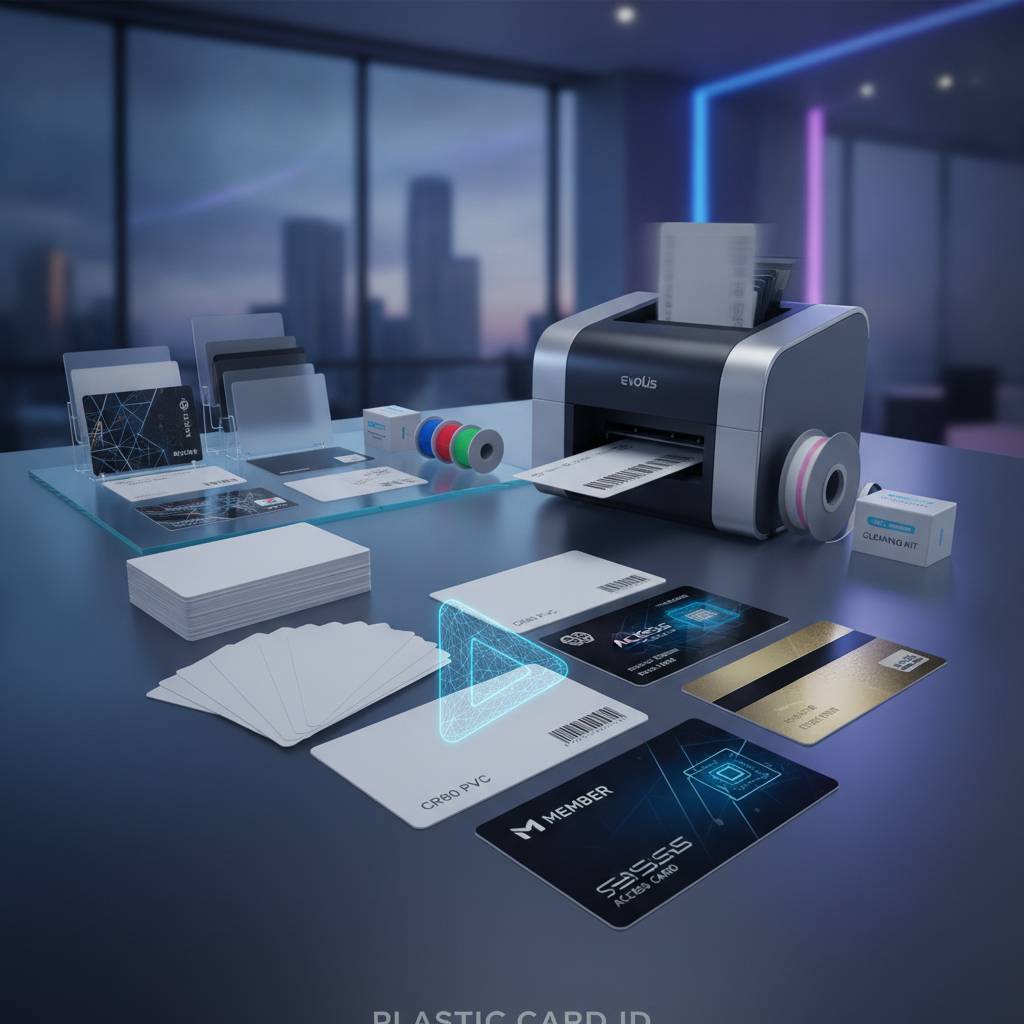
Cleaning cards are pre-saturated PVC-format cards - the same size as a standard CR80 card - designed to pass through the printer's transport path and clean rollers on contact. The saturation solution is precisely formulated: strong enough to dissolve ribbon residue and dye buildup without damaging roller materials or leaving chemical residue that could affect subsequent prints.
Running a cleaning card takes about 30 seconds. You insert it through the card feeder, initiate the cleaning cycle (either from the printer's panel or through the driver software), and the card travels the full transport path, scrubbing rollers as it goes. Most Evolis printers include cleaning cards in the original box precisely because the manufacturer recognizes routine cleaning as part of normal operation - not an optional add-on.
Replacement cleaning cards are typically sold in packs of 10-50 and cost $15-$40 depending on quantity and brand compatibility. Always use cleaning cards specified for your printer brand or confirmed as cross-compatible by your supplier - CPE can advise on compatibility across the Evolis, Fargo, Zebra, and Matica lines.
Cleaning Swabs and Their Targeted Applications
While cleaning cards handle the transport rollers, cleaning swabs address the areas a card can't reach - primarily the print head itself and the areas immediately surrounding it. Swabs used in card printer maintenance are lint-free and pre-saturated or intended for use with the included cleaning solution. Never use regular cotton swabs on a print head - the fibers they shed are worse than the contamination you're trying to remove.
Print head cleaning with swabs is a more deliberate process than running a cleaning card. You gently wipe across the print head element in one direction - never back and forth - to lift residue without smearing it into the micro-elements. Some kits include long-handled swabs specifically designed to reach the print head in printers with deep internal access points. Frequency for swab cleaning is typically every 5,000-10,000 cards, or whenever print quality inspection reveals head contamination.
Cleaning Solutions and Roller Cleaning Supplies
Some maintenance kits include a small bottle of isopropyl-based cleaning solution at printer-safe concentration levels - typically 99% IPA formulation. This solution powers the cleaning cards and swabs, and can also be used on the printer's external surfaces and hopper areas. It evaporates cleanly without leaving residue, which is critical in a precision printing environment.
Roller cleaning supplies in premium kits may include adhesive cleaning rollers or specialized wipes for cleaning the card pre-feed roller - the first contact point cards have with the printer mechanism. This roller is particularly prone to picking up dust from card stock surfaces. Keeping the pre-feed roller clean directly reduces the jam frequency that frustrates high-volume printing operations.
Call Plastic Card ID at 800.835.7919 to get matched with the right cleaning kit for your specific printer model and print volume.
Cleaning Kit Compatibility Across Printer Brands
One of the most common questions CPE receives: "Can I use the same cleaning kit for my Evolis and my Fargo?" The answer is nuanced. Cleaning cards in standard CR80 format are broadly compatible across brands since they clean through physical contact rather than any chemical interaction specific to printer internals. However, brand-specific kits are engineered with solution concentrations and swab designs optimized for that manufacturer's components.
Using manufacturer-specified cleaning supplies is always the safest choice - particularly when the printer is under warranty. Cross-brand compatibility is possible in many cases, but should be confirmed before use. The team at CPE stocks cleaning supplies for all four major brands in the lineup and can confirm compatibility quickly.
Evolis Printer Cleaning Kits
Evolis printers are among the most maintenance-intuitive systems on the market. Models like the Zenius, Primacy2, and Agilia include on-screen prompts when cleaning is due - the printer literally tells you when to clean it. Evolis cleaning kits are designed as complete solutions: cleaning cards for roller maintenance, swabs for the print head, and solution for targeted cleaning. The Evolis T-Cleaning Kit is a benchmark in the industry for its thoroughness and ease of use.
For entry-level users on the Badgy200, Evolis provides a simplified cleaning card set that covers the essential roller cleaning without the full kit complexity - ideal for organizations printing fewer than 1,000 cards per year who need a straightforward maintenance solution they'll actually use consistently.
Fargo and Zebra Cleaning Kits
Fargo printers, popular in security-sensitive ID programs, have specific cleaning requirements tied to their lamination and encoding features. Fargo cleaning kits often include additional components for laminator roller maintenance - a critical area in printers that apply overlay film to finished cards. Laminator rollers accumulate film adhesive residue faster than most other printer components, making specialized cleaning supplies essential.
Zebra card printers, widely used in corporate and government environments, publish detailed cleaning instructions in their technical documentation and offer maintenance kits that align with those schedules. Zebra's cleaning supplies use lint-free materials and precisely controlled solution formulations. For high-security ID programs where card quality is non-negotiable, Zebra's maintenance standards are some of the most rigorous in the market.
Matica Cleaning Considerations
The Matica Event Printer is built for high-speed, on-site badge production - think large conferences, sporting events, and multi-day festivals where thousands of credentials need to be produced quickly and reliably. In this environment, cleaning isn't a weekly task - it's a per-event protocol. Matica maintenance kits are designed for rapid deployment and quick cleaning cycles between event batches.
Because Matica printers operate under high-throughput conditions, contaminant accumulation happens faster than in office environments. CPE recommends keeping a complete Matica cleaning kit on-site at every event deployment - not as a backup measure, but as standard operating procedure. Downtime during a live event is a different category of problem than downtime in an office.
Step-by-Step: How to Perform a Card Printer Cleaning Cycle
Knowing you should clean your printer is one thing. Knowing exactly how to do it - correctly, efficiently, without accidentally causing the damage you're trying to prevent - is another. The process is simpler than most users expect, but a few details matter significantly. Follow these steps and your printer will reward you with consistent, professional output for thousands of cards to come.
The entire cleaning process for most desktop card printers takes less than 10 minutes and requires no technical expertise. This is something any staff member can perform with minimal training - which is exactly how it should be integrated into regular operations.
Pre-Cleaning Preparation
Before initiating any cleaning cycle, remove all cards from the input hopper and any cards currently staged in the output area. Open the printer lid and visually inspect for any obvious debris - paper scraps, torn ribbon fragments, or card jams that need to be cleared manually before cleaning. Remove the ribbon cartridge according to your printer's instructions and set it aside in a clean, dust-free location.
- Power the printer on and ensure it's in ready state before beginning
- Have your cleaning kit components laid out and accessible before starting
- Review your printer's specific cleaning mode instructions - most activate via front panel button or software menu
- Ensure the cleaning card is at room temperature and not expired (yes, cleaning cards have shelf lives)
- Wash hands before handling cleaning supplies to avoid transferring skin oils to components
Running the Cleaning Cycle
Insert the cleaning card into the manual feed slot or input hopper as directed by your printer model's instructions - this varies between brands. Initiate the cleaning cycle through the printer's panel menu or through the installed driver software on your connected computer. The printer will transport the cleaning card through the full path, typically making one or two passes before ejecting it.
While the cleaning card does its work, prepare your swab if print head cleaning is also due. Once the cleaning card cycle completes and the card is ejected, inspect the card surface - you'll often see visible residue transferred from the rollers, which is confirmation the cleaning was needed and effective. A dirty ejected cleaning card is not a problem - it's proof of concept.
Post-Cleaning Checks and Documentation
After the cleaning cycle, allow the printer to sit for two to three minutes before reloading the ribbon and cards - this gives any residual cleaning solution time to fully evaporate. Reinstall the ribbon cartridge, reload the card hopper, and run a test print to confirm output quality. The first card or two after cleaning will often show visibly improved quality compared to what you were seeing before maintenance.
Log the cleaning date, card count at time of cleaning, and any observations in your maintenance record. This takes 60 seconds and creates documentation that protects your warranty, guides your next cleaning schedule, and helps troubleshoot any future issues. CPE recommends pairing your cleaning kit supply orders with these records so you're never caught without supplies when maintenance is due.
Buying Guide: Choosing the Right Cleaning Kit for Your Setup
The cleaning kit market isn't complicated, but it rewards attention to detail. Buying the wrong kit - one that doesn't include the components your printer needs, or one not compatible with your printer model - means your maintenance effort doesn't achieve its full potential. Here's how to make the right choice the first time.
Consider your print volume, printer brand, and any special features your printer uses (lamination, magnetic stripe encoding, smart chip encoding) when selecting a kit. A printer with a lamination module needs a kit that addresses laminator rollers - standard cleaning cards won't reach those components.
Matching Kit Complexity to Print Volume
Low-volume operations printing under 1,000 cards per year - think small nonprofits, boutique hotels, or community organizations - can maintain their printer effectively with a basic cleaning card set refreshed once or twice annually. A $15-$30 cleaning card pack is genuinely sufficient when cleaning intervals are observed and cards aren't being printed in dusty environments.
Mid-range operations on Zenius or Primacy2 printers producing 1,000 to 6,000 cards per month need a more comprehensive approach. At this volume, rollers accumulate residue noticeably faster, and print head cleaning with swabs should be incorporated every three to four months. A $40-$65 comprehensive kit is the appropriate investment tier for these operations.
Special Features That Require Additional Cleaning Attention
Printers equipped with magnetic stripe encoding modules have an additional cleaning requirement: the encoding head. This component reads and writes data to magnetic stripes on cards, and contamination on the encoding head causes encoding errors that render cards non-functional. Most cleaning kits designed for mag stripe-capable printers include encoding head cleaning in their scope.
Smart chip encoding modules (contact and contactless) add another maintenance dimension. While chip encoding mechanisms are generally more robust against contamination than magnetic heads, the card positioning mechanisms that align cards for chip contact can accumulate debris. For printers with encoding upgrades installed, always verify that your cleaning kit is specified for use with encoding-equipped systems.
Stocking and Reordering Strategy
Running out of cleaning supplies mid-cycle is a maintenance failure just as surely as never cleaning at all. Build a simple reordering system: when you open your last cleaning card pack, place the next order. For organizations with predictable print volumes, annual or semi-annual bulk kit orders reduce per-unit cost and ensure supplies are always on hand.
CPE stocks cleaning kits for all supported printer brands and can set up repeat orders aligned with your maintenance schedule. Reaching out proactively before supplies run out - rather than reactively after print quality drops - keeps your card program running without unnecessary interruption.
Contact Plastic Card ID today at 800.835.7919 for expert guidance on the right cleaning kit for your printer model, volume, and budget.
Common Cleaning Mistakes and How to Avoid Them
Even well-intentioned maintenance can go wrong. The most damaging card printer cleaning mistakes aren't acts of neglect - they're acts of misguided effort. Using the wrong materials, cleaning too aggressively, or skipping critical printer zones while thoroughly cleaning others can create new problems while solving old ones. Good maintenance is informed maintenance.
The goal isn't to clean the printer as intensely as possible. It's to clean the right components, with the right tools, at the right intervals. More isn't better when it comes to cleaning solution saturation or swab pressure on the print head. Precision and consistency beat occasional deep-cleaning marathons every time.
Frequency Errors: Too Much and Too Little
Under-cleaning is the more common problem, but over-cleaning exists too. Running cleaning cards after every 50 prints on a low-volume desktop printer subjects the transport rollers to unnecessary mechanical wear and introduces more cleaning solution than actually evaporates between cycles. Follow the manufacturer's recommended intervals - they're calibrated for a reason.
On the flip side, waiting until print quality is visibly degraded before cleaning means you've already allowed contamination to reach levels that take multiple cleaning cycles to resolve. The ideal is proactive maintenance at scheduled intervals, before problems develop. Think of it like changing oil in a vehicle - you don't wait for engine noise to confirm it's due.
Using Incompatible or Improvised Cleaning Materials
Standard household cleaning wipes - even those marketed as "electronics safe" - are not appropriate for card printer maintenance. Their fiber composition, chemical formulations, and saturation levels are not engineered for the precision components inside a card printer. Paper towels are equally problematic: they shed fibers that become new contaminants inside the very areas you're trying to clean.
The isopropyl alcohol concentration matters more than most users realize. Too low (below 70%) and the solution doesn't effectively dissolve dye residue. Too high, applied improperly, and it can damage roller coatings or strip lubricants from mechanical components. Manufacturer-specified cleaning solutions eliminate this variable entirely - they're pre-engineered for safe use in the specific printer they're designed for.
Neglecting the Hopper and Input Path
Most users focus cleaning efforts on the print zone - the rollers and print head. But contamination often enters the printer from the card input area. The hopper accumulates dust from card surfaces and from the ambient environment. Cards loaded with fingerprints or surface contaminants carry those contaminants into the print path with every job.
Wipe down the card hopper with a lint-free cloth lightly dampened with printer-safe cleaning solution monthly, or more frequently in dusty environments. Handle card stock by the edges when loading, or use card-loading gloves to prevent oil transfer. These habits reduce how much contamination reaches the rollers and print head, extending the interval between deep cleaning cycles and improving overall print consistency.
Keep Your Card Program Running Strong with Plastic Card ID
A reliable card printing operation doesn't happen by accident. It's the result of good equipment choices, consistent maintenance habits, and a supplier who understands the difference between the two. CPE has spent over 25 years helping organizations across the United States get more from their card printing investments - and the cleaning kit conversation is one of the most valuable ones we have with customers.
Your card printer is a professional tool - treat it like one. The cleaning kit isn't an accessory. It's part of the system. Ribbons, cards, printer hardware, and maintenance supplies working together deliver the consistent, professional output your organization's ID program depends on. Every employee badge, access credential, hotel key card, or membership card that exits your printer in perfect condition is a direct result of that complete approach.
Whether you're setting up a new card printing program, upgrading from a legacy system, or simply trying to get more reliable performance from your current hardware, Plastic Card ID has the expertise, the inventory, and the commitment to support you at every step. From selecting the right printer for your volume to ensuring you always have the maintenance supplies to keep it performing at its best - this is what we do.
Reach out to Plastic Card ID today at 800.835.7919. Our team is ready to help you find the right cleaning kit, answer your maintenance questions, and make sure your card printing program never skips a beat.
Previous Page