Plastic Card Printer for Student ID Cards: Top Solutions
Table of Contents []
- Why Plastic Card ID Is the Go-To Source for Student ID Card Printing
- Matching the Right Printer to Your Student Population
- Security-First Printing: Fargo and Zebra for Campus ID Programs
- The Complete Supplies Picture: Ribbons, Cleaning Kits, and More
- The Real Advantage of Printing Student IDs In-House
- Buyer Tips: How to Choose the Right Student ID Card Printer
- Ready to Build Your Student ID Program? Start With Plastic Card ID
Why Plastic Card ID Is the Go-To Source for Student ID Card Printing
Walk into almost any school, university, or campus facility and you will notice something universal: every student carries a card. That little piece of plastic unlocks doors, checks out library books, loads meal plan funds, and confirms identity in a hundred daily situations. Choosing the right plastic card printer for student ID cards is not a trivial decision - it shapes how smoothly your entire ID program runs, year after year.
Plastic Card ID has spent over 25 years supplying professional card printing hardware to institutions across the United States, building a customer base that now exceeds 100,000 organizations. From small charter schools printing a few hundred cards per year to sprawling university systems producing tens of thousands of student IDs annually, CPE has matched every buyer to the right equipment at the right investment level.
This page walks you through everything you need to know - printer models, volume considerations, encoding features, supplies, and smart buying decisions - so your institution never misses a beat when students come through the door on the first day of school.
| Printer Model | Brand | Best For | Monthly Volume |
|---|---|---|---|
| Badgy200 | Evolis | Small schools, under 1,000 cards/year | Low volume |
| Zenius | Evolis | Mid-size schools, single-sided | 1,000-6,000/month |
| Primacy2 | Evolis | Mid-to-large schools, dual-sided | 1,000-6,000/month |
| Agilia | Evolis | Premium edge-to-edge output | High volume |
| Fargo Series | Fargo | Security-focused ID programs | Scalable |
| Zebra Series | Zebra | Robust institutional ID programs | Scalable |
Matching the Right Printer to Your Student Population
Not every school needs the same machine. Volume is the first honest question to ask: how many student ID cards does your institution actually produce each year? The gap between a K-8 charter school printing 400 cards annually and a state university printing 30,000 is enormous, and so is the gap in the appropriate hardware investment. Buying the wrong printer - too small or unnecessarily large - costs real money over time.
The smart approach is to start with realistic numbers. Count new enrollments, factor in replacement cards for lost IDs, and add transfers and late enrollees. Then match that number to a printer tier that can handle your realistic peak load without straining. CPE has guided thousands of institutions through exactly this calculation, and the framework is straightforward once you understand the product tiers available.
Entry-Level Printing: The Evolis Badgy200
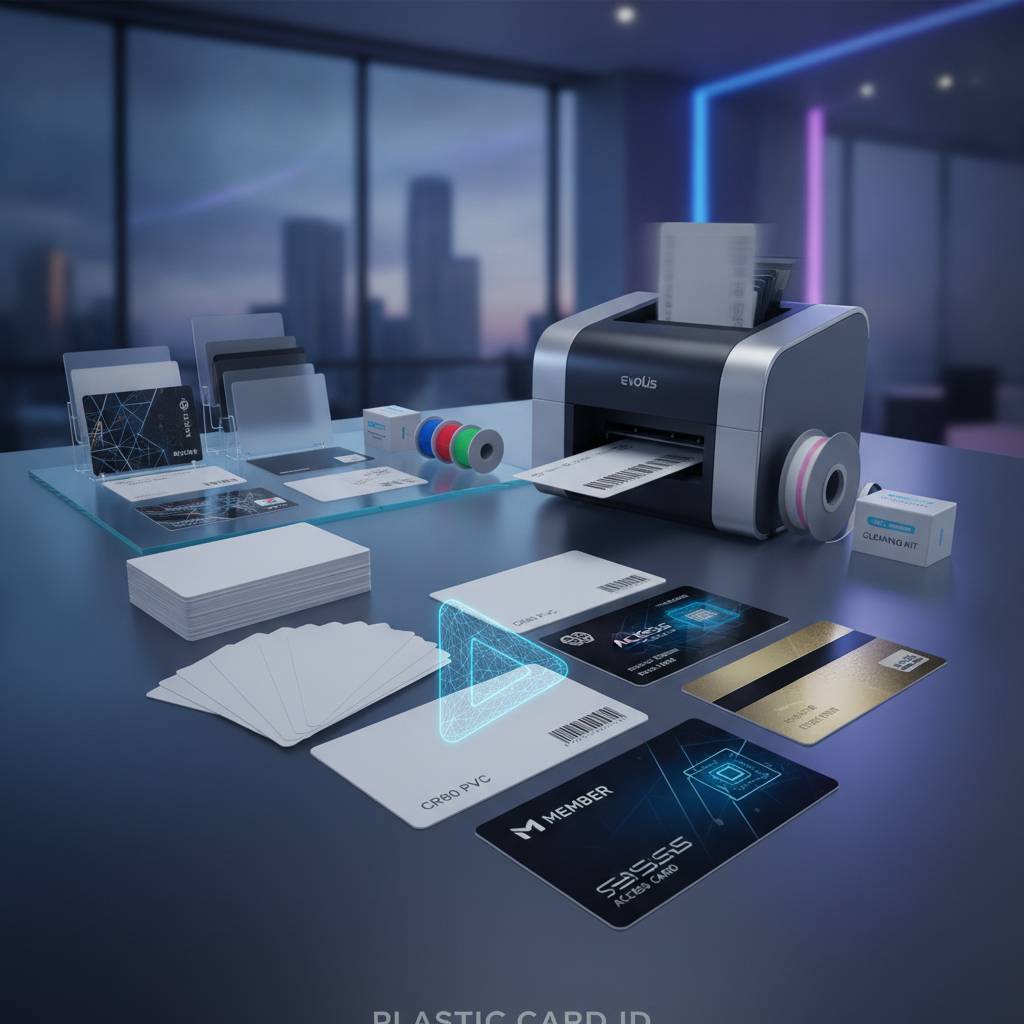
Small schools, after-school programs, tutoring centers, and private enrichment academies rarely need industrial-grade hardware. The Evolis Badgy200 is purpose-built for organizations printing fewer than 1,000 cards per year - a clean, simple, affordable desktop unit that produces sharp, professional results without a complex setup.
For a small elementary school issuing student IDs at the start of each fall semester, the Badgy200 delivers everything necessary: full-color printing, a compact footprint that fits comfortably on an administrator's desk, and a ribbon cost structure that makes sense at low volumes. Simple to operate, easy to maintain, and genuinely affordable - this printer earns its place in smaller institutions every single year.
Because setup is guided and intuitive, staff members who have never operated a card printer before get up and running quickly. There is no steep learning curve, no technician required on day one, and no overspend on capabilities you will never use.
Mid-Range Workhorses: Evolis Zenius and Primacy2
Schools operating in the 1,000 to 6,000 card-per-month range need something considerably more capable. The Evolis Zenius handles single-sided printing with excellent speed and consistency, while the Primacy2 steps up to dual-sided printing - ideal when institutions want academic information, emergency contact details, or policy text printed on the back of every card.
Both models support magnetic stripe encoding, which opens the door to meal plan integration, library access, and building entry systems. Magnetic stripe encoding transforms a simple photo ID into a fully functional campus credential - one card that does the work of several. For middle schools, high schools, and smaller colleges, this is often exactly the capability level that delivers the best return on hardware investment.
The Primacy2 in particular has earned a reputation as a workhorse across educational settings. Its build quality, ribbon efficiency, and consistent output make it a printer that institutions rely on for years without issue, running batch after batch during busy enrollment periods without complaint.
Premium Output: The Evolis Agilia
When image quality is non-negotiable - when university administrators want edge-to-edge color, precise photo reproduction, and a card that genuinely looks premium in the student's hand - the Evolis Agilia is the answer. This machine produces the highest-quality card output in the Evolis lineup, with results that reflect the professional image a large institution demands.
Universities with active enrollment marketing, institutions where the student ID doubles as a public-facing credential, and programs where card aesthetics carry institutional branding weight will find the Agilia delivers a measurable step up in perceived card quality. The difference between a good card and a great card is visible, and for many institutions it matters.
Security-First Printing: Fargo and Zebra for Campus ID Programs
Some student ID programs carry security responsibilities that go beyond simple identification. Access control systems for dormitories, research labs, computer suites, and restricted academic facilities require cards encoded to precise specifications - and the printers producing those cards need to meet an equally precise standard. This is where Fargo and Zebra printers enter the picture.
Both brands have long track records in security-focused ID environments. Their printers combine robust build quality with encoding compatibility that institutional security teams require. For universities managing complex access control infrastructures, these machines integrate into existing systems without forcing workarounds or compromises.
Why Fargo Earns Trust in Educational Security Programs
Fargo printers are engineered for environments where card security is as important as card appearance. Dual-sided printing, holographic overlay options, smart chip encoding, and magnetic stripe encoding all work together to produce cards that carry genuine security value - not just a photo and a name.
Campus security offices, residential life departments, and IT teams managing access systems tend to favor Fargo hardware because of its reliability under sustained use and its compatibility with widely deployed access control platforms. A Fargo-printed student ID is a serious credential, not just a piece of plastic.
Contact CPE at 800.835.7919 to discuss which Fargo model fits your institutional security requirements. The product selection covers multiple output tiers so programs of different sizes find the right match.
Zebra Printers: Built Tough for Institutional Demands
Zebra's card printer lineup is built with the kind of durability that high-enrollment institutions genuinely need. These machines run hard during enrollment periods - batch after batch, day after day - and they are engineered to hold up under that load without sacrificing output quality or requiring unexpected downtime for maintenance.
For universities and large school districts, Zebra printers bring the combination of throughput capacity and operational reliability that makes them a sound long-term investment. IT and facilities teams appreciate machines that simply work - consistently, predictably, and without drama. Zebra printers are workhorses that earn their keep over a long service life.
Smart Chip Encoding for Modern Campus Credential Systems
Modern campuses increasingly move toward smart chip cards - credentials that carry encrypted data for access control, digital library services, cashless payment systems, and attendance tracking. Both Fargo and Zebra printers support smart chip encoding modules, and Plastic Card ID supplies the encoding upgrades that bring this capability to your card printing workflow.
Integrating chip encoding into your student ID program eliminates the need to outsource chip card production to a third-party vendor. In-house chip encoding means faster turnaround, tighter control over card data, and no dependence on external lead times - a meaningful operational advantage during high-pressure enrollment periods.
The Complete Supplies Picture: Ribbons, Cleaning Kits, and More
A card printer without a reliable supply chain is a very expensive paperweight. Ribbons run out. Cleaning cycles are necessary. Lamination modules need replenishment. Understanding the consumables landscape before you commit to a printer platform saves time, budget surprises, and operational headaches down the road. CPE supplies every consumable your card program needs, sourced from the same trusted brands as the hardware.
Institutions sometimes underestimate the ongoing cost of ribbons when budgeting for a student ID program. The good news is that with the right printer match and the right ribbon type, per-card printing costs are very manageable - often measured in cents per card at mid-range and higher production volumes.
Ribbon Types and What They Mean for Student ID Programs
YMCKO ribbons - the standard full-color option - are what most student ID programs rely on. They produce vibrant full-color output with a clear overlay panel that protects the printed surface. For IDs carrying student photos, institution logos, and color-coded department or grade level indicators, YMCKO is the correct choice.
Monochrome ribbons are a cost-effective option when color is not required - for temporary access passes, event credentials, or utility cards where a single printed color is sufficient. Choosing the right ribbon type for each card category can meaningfully reduce your per-card printing cost, particularly in high-volume programs that print different card types for different populations.
- YMCKO ribbons: Full color with protective overlay - ideal for photo ID cards and branded student credentials
- Monochrome ribbons: Single-color output at lower cost per card - suited for temporary passes and utility cards
- Specialty ribbons: Available for programs with specific encoding, lamination, or security overlay needs
- Cleaning kits: Regular cleaning cycles extend printer life and maintain consistent print quality
- Lamination modules: Add a durable laminate layer to extend card lifespan and enhance security features
Encoding Upgrades: Magnetic Stripe and Smart Chip
Magnetic stripe encoding upgrades are available for printers across the lineup, and they transform a straightforward photo ID into a multi-function campus credential. Encoding a magnetic stripe during the printing process - rather than outsourcing it or adding it as a separate step - streamlines card production significantly and reduces the risk of errors in the encoding data.
Smart chip encoding upgrades follow the same logic. For institutions moving toward chip-based access control or digital campus services, adding encoding capability to an existing or new printer is a practical investment. The upgrade integrates directly into the card printing workflow, so each card emerges from the printer fully personalized, fully encoded, and ready for immediate use. One pass through the printer, one complete card - that is the efficiency advantage of in-house encoding.
Card Carriers, Sleeves, and Hoppers
Beyond ribbons and encoding, the operational details of card handling matter in a busy school environment. Input hoppers allow batch printing without manual card loading - a genuine time-saver when producing hundreds of cards during enrollment. Card carriers and sleeves protect finished cards during distribution, reducing replacements caused by surface damage.
These are not glamorous products, but they make a real operational difference. Schools that invest in the right accessories alongside their printer find that the entire card program runs more smoothly, with less staff time devoted to card handling and fewer replacement requests over the course of the year.
The Real Advantage of Printing Student IDs In-House
There is a compelling case for in-house card printing that goes beyond simple cost comparison. When your institution owns the printer, you control every aspect of the card production process. A student enrolled on a Monday can have a functional, encoded ID card in hand by Tuesday morning - no waiting for an outside vendor's production schedule, no minimum order quantities, no express shipping fees when a rush situation arises.
Lost cards get replaced the same day a student reports them. New transfers and late enrollees are folded into the regular printing queue without ceremony. The operational agility that in-house printing delivers is difficult to overstate once an institution has experienced it directly.
Personalization and On-Demand Printing
Every student ID should be unique - photo, name, student ID number, grade level, department, and any encoded data specific to that individual. In-house printing makes this level of personalization not only possible but routine. Each card in a batch can carry completely different printed and encoded data, produced in a single workflow without additional cost or complexity.
This flexibility matters particularly for institutions managing multiple card types - student IDs, faculty credentials, visitor passes, and contractor badges - all produced on the same hardware with different templates and encoding configurations. One printer, multiple credential types, total control.
Eliminating Vendor Lead Times and Minimum Orders
Outsourcing card production to an external vendor introduces dependencies that can complicate institutional operations. Minimum order requirements mean institutions often print more cards than needed. Production and shipping lead times mean new students wait days or weeks for their credentials. Rush orders carry premium costs that accumulate quickly over an academic year.
In-house printing eliminates every one of these friction points. Print exactly the number of cards you need, exactly when you need them, with no external dependencies. For a school that takes its student ID program seriously, this control is not a luxury - it is simply the better operational model. Owning your card production means owning your timeline and your budget.
Cost Comparison Over Time
The initial investment in a card printer and supplies is a one-time capital expenditure that pays for itself over time as per-card printing costs remain stable and predictable. External vendor pricing, by contrast, varies with order volumes, shipping costs, and vendor pricing adjustments that institutions cannot control.
Schools and universities that model out their per-card costs over a three-to-five year period consistently find that in-house printing delivers a favorable economics story - particularly for programs printing thousands of cards per year. The math works, and CPE can walk you through it for your specific volume and program type. Contact us at 800.835.7919 for a straightforward cost comparison tailored to your institution.
Buyer Tips: How to Choose the Right Student ID Card Printer
Shopping for a student ID card printer without a clear framework can lead to either overspending on capabilities you will never use or underbuying and discovering limitations at the worst possible moment - during enrollment week. These practical tips help institutions make a confident, well-informed purchase decision from the outset.
Start With Honest Volume Numbers
Before looking at a single printer specification, calculate your realistic annual card volume. Count initial enrollments, expected replacement cards, and any additional card types your program requires. Add a buffer for growth. Now match that number to a printer tier: under 1,000 cards per year points to entry-level hardware; 1,000 to 6,000 cards per month points to mid-range machines; higher volumes or premium quality requirements point to the top of the lineup.
This single calculation prevents the most common purchasing mistakes. Volume clarity drives smart hardware decisions more than any other single factor in the student ID printer selection process.
Think Through Your Encoding Requirements Early
Does your student ID need to function as a magnetic stripe swipe card for cafeteria purchases? Does your access control system require a smart chip? Are you planning to integrate door access in the future even if you are not doing it today? Answering these questions before purchasing - rather than after - ensures you select a printer with the right encoding capability from day one, avoiding costly upgrades or workarounds later.
Encoding requirements are not an afterthought in a serious student ID program. They are a core specification that should drive model selection alongside volume and quality considerations. Future-proofing your encoding capability is one of the smartest investments an institution can make when setting up a new card printing program.
- Identify whether your access control system uses magnetic stripe, smart chip, or both
- Confirm compatibility between printer encoding modules and your campus software platforms
- Consider dual-sided printing if you want to use the card back for policy text or additional data
- Ask about lamination module options if card durability in active student use is a priority
- Plan for supply continuity - ribbon and cleaning kit availability for your chosen model matters over the long term
Factor in Total Cost of Ownership
The printer purchase price is only one component of the total investment. Ribbon costs per card, cleaning kit frequency, lamination module replenishment, and any software licensing for card design and data management all contribute to the real ongoing cost of your program. Institutions that evaluate total cost of ownership rather than just purchase price make significantly better long-term decisions.
Plastic Card ID provides full supply chain support for every printer brand it carries - ribbons, cleaning kits, encoding supplies, and accessories - so institutions never face the frustrating situation of owning a printer and being unable to source compatible consumables. A complete supply relationship with a single trusted vendor simplifies institutional purchasing considerably.
Ready to Build Your Student ID Program? Start With Plastic Card ID
More than 100,000 organizations across the United States have trusted Plastic Card ID to supply their card printing hardware and consumables. Schools, universities, community colleges, and vocational programs of every size are represented in that customer base - organizations that needed exactly what you need now: reliable guidance, professional hardware, and a supply partner they can count on year after year.
The product lineup covers every realistic need in a student ID card printing program - from the compact and approachable Evolis Badgy200 for small schools to the Evolis Agilia and security-grade Fargo and Zebra platforms for institutions with demanding quality and security requirements. Every model is backed by the full supply chain that keeps card programs running smoothly through every enrollment season.
Speak With a Card Printing Specialist Today
Choosing the right plastic card printer for student ID cards is easier with an expert on your side. The specialists at CPE understand educational card programs, campus credential requirements, and the practical realities of running a school or university ID operation. They ask the right questions, recommend the right hardware, and make sure you have everything needed to get your program running correctly from day one.
Do not guess on a hardware investment that will serve your institution for years. A short conversation with a knowledgeable product specialist costs nothing and saves considerable time and money. Reach out today and get straight answers about the right printer, the right supplies, and the right investment level for your specific program.
Contact Plastic Card ID now at 800.835.7919 and let our card printing specialists help you build the student ID program your institution deserves. Plastic Card ID - trusted by over 100,000 customers, ready to serve you.
Previous Page