Desktop Plastic Card Printer: Compact Top-Rated Models
Table of Contents []
- Why Plastic Card ID Is the Go-To Source for Your Desktop Plastic Card Printer
- Understanding the Desktop Plastic Card Printer Landscape
- Fargo and Zebra Printers: Security-Focused Performance
- Consumables and Accessories That Keep Your Card Program Running
- Buyer's Guide: Choosing the Right Desktop Plastic Card Printer for Your Organization
- Common Questions About Desktop Card Printers
- Get the Right Desktop Plastic Card Printer from Plastic Card ID Today
Why Plastic Card ID Is the Go-To Source for Your Desktop Plastic Card Printer
Walk into almost any organization that prints its own ID cards in-house, and you'll find the same quiet confidence - a compact machine sitting on a desk, cranking out professional credentials exactly when they're needed. That machine is almost certainly a desktop plastic card printer, and choosing the right one changes everything about how smoothly a card program runs. Plastic Card ID has spent more than 25 years making sure businesses across the United States get exactly the right hardware for the job.
With over 100,000 customers served and a curated lineup that spans the full range of production needs, Plastic Card ID isn't just a vendor - it's a partner in building reliable, professional card programs from the ground up. The difference between a frustrating card program and a seamless one often comes down to printer selection, and that's precisely where this kind of deep, specialized experience pays off.
What Makes a Desktop Card Printer the Right Choice
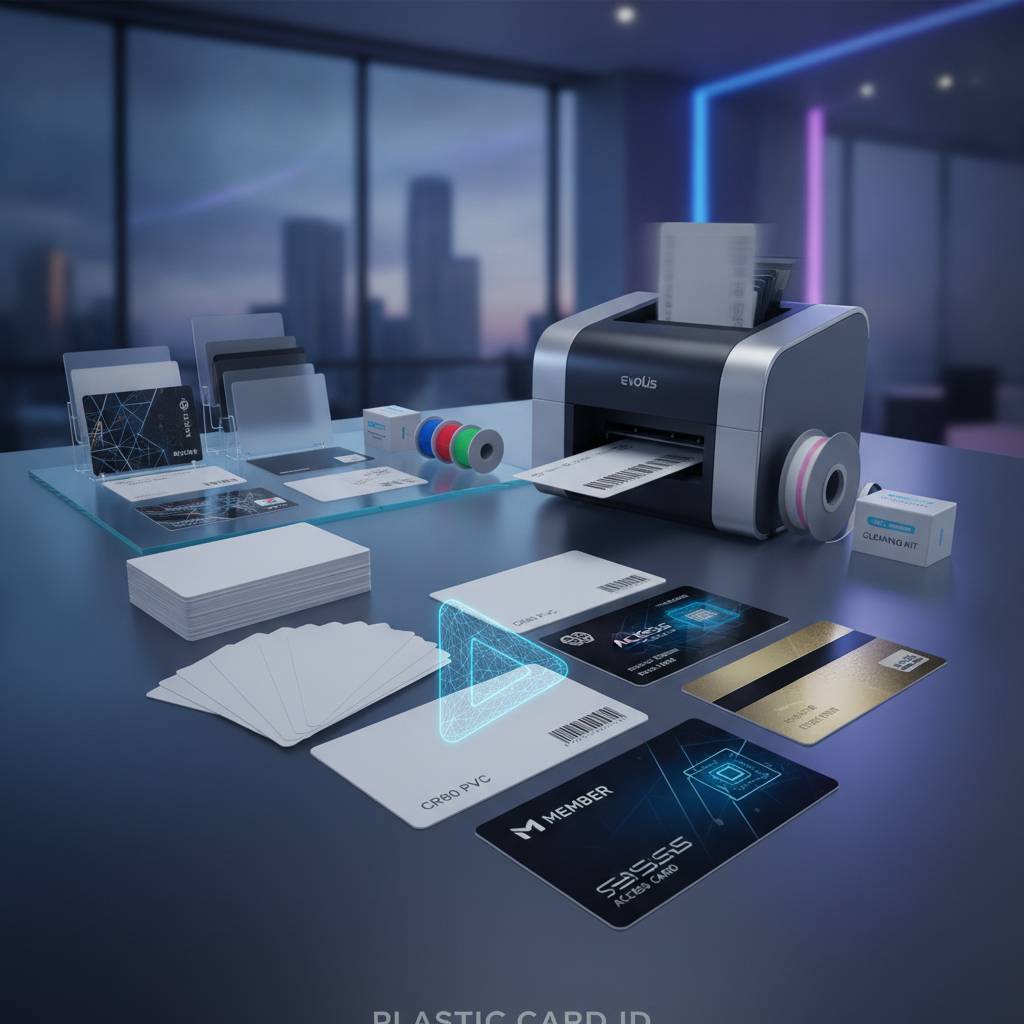
Desktop plastic card printers occupy a smart middle ground between outsourcing card production entirely and investing in industrial-scale equipment. They're compact enough to fit on a standard desk, fast enough to handle real daily workloads, and sophisticated enough to produce results that rival professional print shops. For most organizations, they represent the single most efficient path to total card program ownership.
Whether you're printing 200 employee IDs per year or 4,000 access control cards per month, there's a desktop unit built for that exact pace. The key is understanding where your volume falls and which features - dual-sided printing, magnetic stripe encoding, smart chip writing - actually matter to your specific use case.
Over 25 Years of Specialized Hardware Knowledge
It's one thing to list printers on a webpage. It's another to have spent decades watching which models hold up under pressure, which ribbons produce the sharpest output, and which configurations create headaches down the line. CPE has accumulated that knowledge across thousands of real customer deployments, and it informs every recommendation made.
That institutional knowledge matters most when a customer is standing at a crossroads - unsure whether the Evolis Zenius or the Primacy2 better fits their needs, or whether a lamination module is worth the added cost. These aren't trivial questions. The right answer saves time, money, and operational frustration for years to come.
Serving Every Industry That Needs Professional Cards
The range of applications is genuinely broad. Schools print student IDs and staff credentials. Hotels encode key cards on demand at the front desk. Gyms and clubs issue membership cards that double as loyalty and access tools. Corporate offices produce photo ID badges for employees and contractors. Event organizers print on-site credentials for staff and VIP attendees.
Each of these use cases has specific demands, and Plastic Card ID carries hardware and consumables to serve all of them. Call 800.835.7919 to speak directly with someone who understands your industry's specific card program needs.
| Printer Model | Brand | Recommended Volume | Key Features |
|---|---|---|---|
| Badgy200 | Evolis | Under 1,000 cards/year | Entry-level, single-sided, compact |
| Zenius | Evolis | 1,000-3,000 cards/month | Mid-range, encoding-ready, reliable |
| Primacy2 | Evolis | Up to 6,000 cards/month | Dual-sided, magnetic stripe, high output |
| Agilia | Evolis | Premium production | Edge-to-edge, highest-quality output |
| HDP Series | Fargo | Security-focused programs | High-definition retransfer, durable |
| ZC Series | Zebra | Mid to high volume | Encoding options, robust build |
| Event Printer | Matica | High-speed on-site events | Fast throughput, event credentials |
Understanding the Desktop Plastic Card Printer Landscape
The market for desktop card printers is broader than most buyers expect. Prices can range anywhere from a few hundred dollars for an entry-level unit to several thousand for a fully featured model with lamination and encoding capabilities. What doesn't vary is the core value proposition: print professional cards exactly when you need them, exactly how you need them, without waiting on an outside vendor.
Understanding where each model fits in the landscape prevents the two most common buyer mistakes - overspending on capacity that will never be used, or purchasing an underpowered unit that becomes a bottleneck within six months. The goal is alignment between production needs and hardware capability, and that alignment starts with honest volume assessment.
Entry-Level Desktop Printers: The Evolis Badgy200
The Badgy200 is purpose-built for organizations where card printing is occasional rather than routine. Think small nonprofits issuing volunteer credentials, boutique fitness studios printing member cards, or small businesses creating a handful of employee badges. This is the ideal starting point for programs printing fewer than 1,000 cards per year.
It's compact, straightforward, and produces full-color, professional-quality output on standard CR80 PVC cards. There's no complex setup, no oversized footprint, and no need to learn enterprise-grade software. For organizations dipping their toes into in-house card printing, the Badgy200 removes every barrier to entry without sacrificing output quality.
Mid-Range Workhorses: Zenius and Primacy2
When volume climbs past the occasional print job into genuine monthly production, the Evolis Zenius and Primacy2 step in as the backbone of most professional card programs. The Zenius handles the lower end of mid-range production elegantly, while the Primacy2 stretches to meet the demands of busier environments - up to 6,000 cards per month - with dual-sided printing and magnetic stripe encoding built in or easily added.
These are the models most commonly found in corporate HR departments, university ID offices, and healthcare organizations where cards go out the door daily. They're built for sustained use, designed to maintain print quality over long production runs, and supported by a robust ecosystem of compatible ribbons, cleaning kits, and upgrade modules.
Premium Output: The Evolis Agilia
For organizations where card quality is not just important but mission-critical, the Evolis Agilia delivers edge-to-edge printing with the kind of resolution and color accuracy that makes every card look like it came from a professional print studio. This is the premium tier - designed for programs where the card itself is a representation of the organization's brand and standards.
Government agencies, premium membership clubs, financial institutions issuing non-payment loyalty cards, and high-profile corporate environments are typical Agilia customers. When a card needs to make an impression on first sight, no desktop printer in the lineup competes with what the Agilia produces.
Fargo and Zebra Printers: Security-Focused Performance
Not every card program is primarily about color and aesthetics. Access control credentials, secure facility badges, government-issued IDs, and law enforcement identification all carry security requirements that demand more from a printer than sharp graphics alone. Fargo and Zebra have built reputations specifically for meeting those requirements, and Plastic Card ID carries their strongest desktop-category offerings.
The Fargo HDP series uses a retransfer printing process that deposits the full image onto a film carrier before bonding it to the card surface. This produces an over-the-edge print that covers even smart chip areas and non-standard card surfaces - something direct-to-card printers simply cannot replicate. Combined with Fargo's security laminate options, these printers produce credentials that are genuinely difficult to counterfeit.
Why Fargo Remains a Trusted Name in ID Security
Fargo's history in security-grade card printing runs deep. Their hardware has been deployed in government buildings, military facilities, university campuses, and large enterprise environments where identity verification isn't just policy - it's liability. The build quality, software integration, and security feature set reflect decades of development for high-stakes environments.
Their ribbons, lamination overlays, and holographic security panels integrate seamlessly with the hardware, creating a card that layers visual, physical, and electronic security into a single credential. For CPE customers running access control programs, Fargo is often the first recommendation.
Zebra's Reputation for Rugged, Reliable Production
Zebra brings a different kind of confidence to the table - the confidence of a brand synonymous with durability and long-term operational reliability. Their ZC series desktop card printers handle mid-to-high volume production runs without fuss, accept encoding upgrades for magnetic stripe and smart chip applications, and integrate smoothly with enterprise identity management systems.
Organizations that already rely on Zebra for barcode printing and label production often find it natural to fold card printing into the same ecosystem. The familiar interface, consistent media handling, and compatible software make onboarding fast and operational continuity strong. Call 800.835.7919 to explore which Zebra configuration matches your card program's current and future demands.
Matica Event Printer: When Speed Is Everything
The Matica Event Printer solves a very specific but very real problem - what happens when hundreds or thousands of attendees show up expecting printed badges on the spot? Standard desktop printers are designed for steady-state production, not burst-mode output under event conditions. The Matica is engineered for exactly that scenario.
Conferences, trade shows, sporting events, corporate summits, and festivals all share the same pain point: a rush of credential demand compressed into a narrow window. The Matica Event Printer handles this gracefully, delivering high-speed output that keeps lines moving and attendees credentialed quickly. It's a specialized tool that pays for itself the first time it prevents an event registration bottleneck.
Consumables and Accessories That Keep Your Card Program Running
A desktop plastic card printer without the right consumables is just a very expensive paperweight. The ribbons, cleaning kits, lamination modules, and encoding accessories are what keep a card program producing at its best - and Plastic Card ID supplies all of it. Stocking the right consumables proactively is one of the easiest ways to avoid production interruptions at the worst possible moment.
Buying consumables from the same source as the printer hardware simplifies the entire supply chain. Compatibility is guaranteed, reorder processes are familiar, and a single call or order handles everything. For organizations running continuous card programs, that simplicity has genuine operational value.
Printer Ribbons: Matching the Right Type to Your Output
Ribbon selection is more nuanced than it first appears. YMCKO ribbons - combining yellow, magenta, cyan, black, and overlay panels - produce full-color photo-quality output on standard PVC cards and represent the most common choice for ID programs. Monochrome ribbons, available in black, blue, red, and other colors, are significantly more economical for single-color text or barcode printing. Specialty ribbons add additional panel combinations for unique security or aesthetic requirements.
- YMCKO ribbons - full-color printing with clear overlay protection for standard ID cards
- Monochrome ribbons - cost-effective single-color output for high-volume basic credentials
- YMCKOK ribbons - adds a dedicated black resin panel for crisp text over full-color backgrounds
- Specialty ribbons - security panels, holographic elements, and custom configurations
- Half-panel ribbons - optimized for cards where only the top portion carries color imagery
Choosing the wrong ribbon type either wastes money or compromises output quality. CPE recommends matching ribbon type to actual output requirements - not defaulting to the most expensive option or assuming any ribbon works for any job.
Cleaning Kits and Maintenance Supplies
Print quality degrades over time when dust, debris, and adhesive residue accumulate on the printer's internal rollers and printhead. Regular cleaning is the single most effective maintenance practice for extending printer life and maintaining output consistency. Most manufacturers recommend running a cleaning card every time a new ribbon is installed - a quick, simple process that takes less than two minutes.
Cleaning kits typically include cleaning cards pre-saturated with isopropyl alcohol solution, cleaning swabs for printhead contact, and cleaning rollers. Following the manufacturer's recommended cleaning interval keeps the hardware running at manufacturer specifications and protects the printhead - one of the most expensive components to replace.
Encoding Upgrades and Lamination Modules
Many desktop card printers support optional encoding modules that can be added during purchase or, in some cases, retrofitted later. Magnetic stripe encoders write data tracks directly during the print cycle, producing a card that can be swiped for access control, loyalty program lookup, or time-and-attendance tracking. Smart chip contact and contactless encoding modules add HID, MIFARE, or other protocol compatibility for tap-to-authenticate applications.
Lamination modules bond a thin protective film over the printed card surface, dramatically extending card life and adding a tactile quality that elevates the overall feel of the credential. For programs where cards are handled daily - gym memberships, employee IDs, transit passes - lamination translates directly into reduced reprint frequency and lower ongoing costs.
Buyer's Guide: Choosing the Right Desktop Plastic Card Printer for Your Organization
The single biggest mistake buyers make is starting with the printer rather than the program. Before comparing models, specification sheets, or prices, the right question is always: what does this card program actually need to accomplish? Once that's clear, choosing hardware becomes straightforward.
Volume, features, budget, and growth trajectory are the four variables that drive every good hardware recommendation. Get those four things right, and the printer you buy today will serve your organization reliably for years. Get them wrong, and you'll be back at the purchasing stage sooner than expected.
Step One: Assess Your Annual Card Volume Honestly
Most organizations dramatically underestimate how quickly card volume grows once in-house printing becomes convenient. Initial estimates of "maybe 200 cards a year" frequently become 800 within 18 months as departments discover new use cases - visitor badges, contractor credentials, event passes - that weren't part of the original plan. Build your volume estimate with growth in mind, not just current demand.
A useful rule of thumb: if you're currently having cards printed externally, pull the last two years of order history and trend the growth rate forward 24 months. That forward projection is a more reliable production target than today's volume alone.
Step Two: Identify Required Card Features
Does the card need to carry a photo? Encode a magnetic stripe? Communicate via RFID? Print on both sides? These are binary questions with significant hardware implications. A card that only needs a name and logo printed on it can be produced by almost any desktop printer. A card that needs dual-sided color printing, a magnetic stripe, and a contactless chip narrows the field considerably.
- Single-sided color printing - supported by virtually all desktop card printers
- Dual-sided printing - requires a duplex module or duplex-capable model like the Primacy2
- Magnetic stripe encoding - available as a factory option on most mid-range and above models
- Smart chip encoding - contact or contactless, available as encoding upgrades on compatible models
- Edge-to-edge printing - requires retransfer technology (Fargo HDP) or premium direct-to-card (Agilia)
- Lamination - available as an inline module on select models for enhanced durability and security
Step Three: Factor in Total Cost of Ownership
The printer purchase price is only the beginning. Ribbons, cleaning kits, cards, and any encoding media all add to the annual operating cost of a card program. A printer with a lower purchase price but expensive per-card ribbon costs can easily outspend a higher-priced unit over a three-year lifespan. Calculate cost-per-card across your projected annual volume before finalizing any hardware decision.
For reference, YMCKO ribbons typically yield between 200-500 prints per ribbon depending on the model, with ribbon prices ranging roughly $20-$80 depending on yield and specification. Monochrome ribbons produce significantly more prints per ribbon at lower cost, making them highly economical for specific applications where color is not required.
Common Questions About Desktop Card Printers
After serving over 100,000 customers, certain questions come up repeatedly. Addressing them directly here saves time and helps buyers arrive at the right decision more quickly.
Can I Print Cards Without Special Software?
Most desktop card printers ship with a bundled design application or are compatible with widely available ID software platforms. Entry-level models like the Badgy200 include Evolis's own card design software, which is intuitive enough for non-technical users to produce professional results from day one. Mid-range and premium models often support integration with more sophisticated ID management systems for larger organizations.
For organizations already running a specific access control or HR platform, verifying software compatibility before purchasing is essential. Plastic Card ID can advise on printer-software compatibility to prevent integration headaches post-purchase.
How Long Do Desktop Card Printers Typically Last?
With proper maintenance - regular cleaning, using compatible consumables, and not exceeding rated volume thresholds - a quality desktop card printer will deliver reliable service for five to eight years or more. The printhead is the most wear-sensitive component and benefits most directly from disciplined cleaning habits. Fargo, Zebra, Evolis, and Matica all publish estimated printhead life figures in their documentation.
Treating the printer as a precision instrument rather than a commodity appliance makes an enormous difference in longevity. This means using manufacturer-recommended ribbons, following cleaning schedules, and storing the printer in an environment that avoids extreme temperature or humidity.
Does Plastic Card ID Support Both Hardware and Consumables Reorders?
Yes - and this is a meaningful operational advantage. CPE carries the full ecosystem of consumables for every printer brand in the lineup. Ribbons, cleaning kits, blank PVC cards, lamination film, and encoding media are all available from a single source. There's no need to manage separate vendor relationships for hardware and supplies.
Reordering is straightforward, and knowing that the consumables are confirmed-compatible with the specific hardware model eliminates the risk of ordering the wrong ribbon or cleaning kit. For busy operations managers, that certainty has real value. Reach out at 800.835.7919 to set up a recurring supply relationship.
Get the Right Desktop Plastic Card Printer from Plastic Card ID Today
There's a real difference between an organization that struggles with its card program - outsourcing production, waiting on lead times, losing control over personalization and timing - and one that owns the process from start to finish. A well-chosen desktop plastic card printer is what makes that difference. It puts production control exactly where it belongs: in-house, on demand, and fully aligned with organizational needs.
Whether you're outfitting a small office with its first card printer or upgrading an established program to higher-capacity, more featured hardware, the right guidance turns a potentially confusing purchase into a confident one. Plastic Card ID has spent 25 years helping organizations across every industry do exactly that - and the depth of that experience shows in every recommendation made.
Start with a Conversation, Not a Guess
Every card program is different. Volume, features, budget, software environment, and future growth plans all factor into which desktop printer truly fits. The fastest way to cut through the complexity is a direct conversation with someone who has navigated these decisions thousands of times before. That expertise is available right now.
Don't spend hours comparing specification sheets when a five-minute conversation can point you directly to the right answer. Contact 800.835.7919 and let the team at Plastic Card ID put decades of real-world card printing experience to work for your organization.
Ready to Print Smarter?
Call Plastic Card ID today at 800.835.7919 - and take the first step toward a card program that runs exactly the way you need it to.
Previous Page