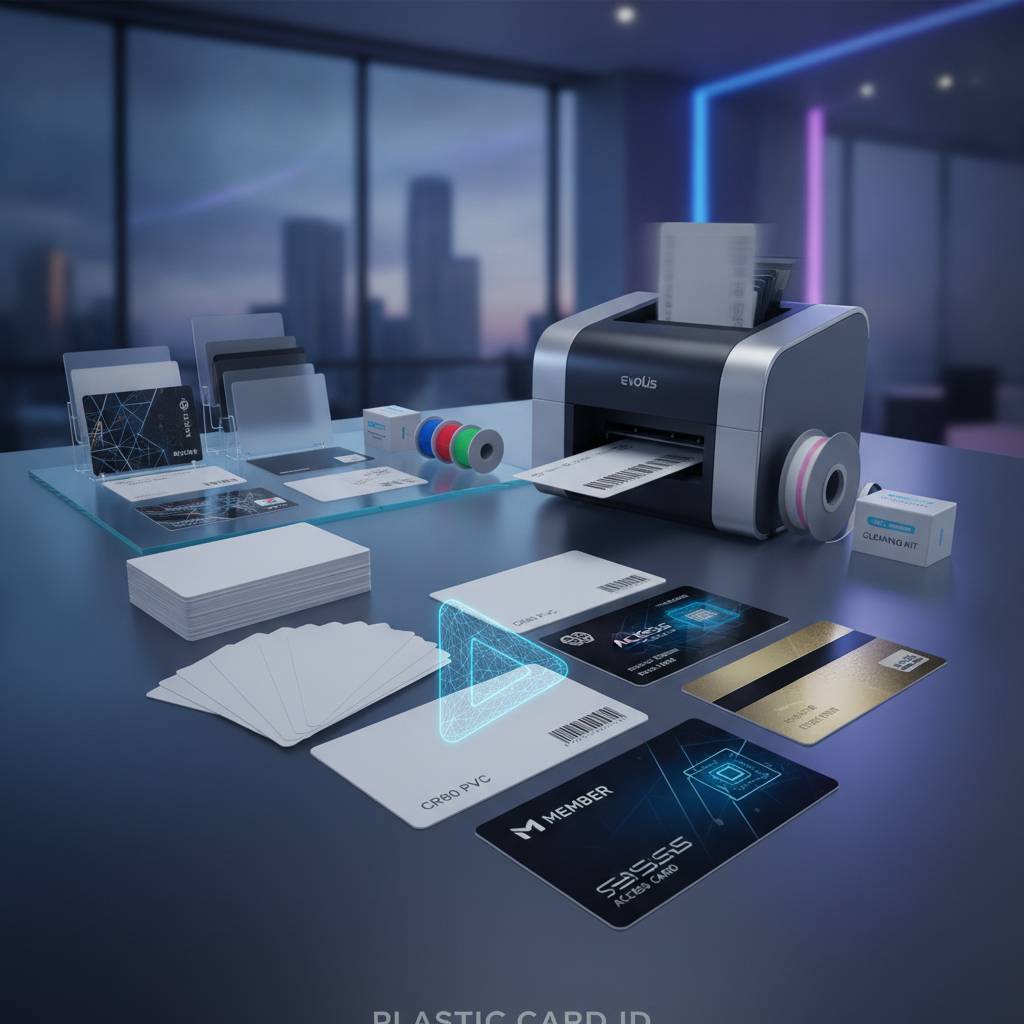
Magnetic Stripe Card Printer: Encode Print Cards
Table of Contents []
- Why Plastic Card ID Is the Go-To Source for Magnetic Stripe Card Printers
- The Printer Lineup: Matching Model to Mission
- Consumables That Keep Your Program Running
- Encoding Upgrades: Magnetic Stripe, Smart Chip, and Beyond
- Applications: What Organizations Are Actually Printing
- Buyer Tips: Avoiding the Most Common Magnetic Stripe Printer Mistakes
- Connect With Plastic Card ID for Your Magnetic Stripe Card Printer Needs
Why Plastic Card ID Is the Go-To Source for Magnetic Stripe Card Printers
Walk into almost any hotel, gym, university campus, or corporate office and you will encounter them - those sleek plastic cards that unlock doors, track memberships, and store encoded data on a dark brown stripe running across the back. That stripe is doing serious work. And the printer behind it? That requires equally serious equipment. Plastic Card ID has spent over 25 years supplying businesses nationwide with the printers, ribbons, and accessories that make it all happen, serving more than 100,000 customers across virtually every industry imaginable.
Most buyers approaching this category for the first time underestimate the range of decisions involved. It is not simply a matter of picking a printer and pressing a button. Magnetic stripe card printing is a discipline unto itself - one that involves choosing the right encoder type, matching ribbon configurations to card design, and selecting a printer that can grow alongside your organization's needs. That is precisely where CPE brings something other vendors cannot replicate: genuine depth of product knowledge backed by a curated, professional-grade hardware lineup.
Whether you are setting up a new employee ID program, expanding an access control system, or replacing aging equipment that no longer handles volume demands, this guide walks through what you actually need to know - not just what sounds good in a brochure.
What Magnetic Stripe Encoding Actually Does
The magnetic stripe on a card is composed of iron-based particles embedded in a resin band. When a printer with magnetic encoding capability passes a write head across that stripe, it magnetizes those particles to encode data in one of three tracks - or all three simultaneously. Track 1 holds up to 79 alphanumeric characters, Track 2 stores up to 40 numeric characters, and Track 3 allows up to 107 numeric characters. Each track serves different use cases ranging from access control to payment systems to loyalty programs.
Coercivity matters here more than most buyers initially realize. Low coercivity (LoCo) stripes, often appearing in a lighter brown, are easier to encode and erase - ideal for hotel key cards and short-term credentials. High coercivity (HiCo) stripes, typically darker or nearly black, resist magnetic interference much more effectively, making them the right choice for employee ID cards, student IDs, and access control credentials that see daily use over months or years.
Who Actually Needs a Magnetic Stripe Card Printer
The answer spans a remarkable breadth of organizations. Hotels encoding room key cards in-house rather than paying per-card fees to vendors. Universities issuing student IDs with dining plan and library data encoded on the stripe. Corporate campuses controlling multi-zone access through HiCo-encoded employee badges. Retailers running loyalty programs where every new member card gets personalized and encoded at the point of enrollment.
Membership-based organizations - gyms, country clubs, professional associations - find particular value in bringing this capability in-house. Rather than waiting days or weeks for batch card orders, staff can print and encode a new member card in under a minute, hand it directly to the cardholder, and move on. That kind of immediacy has real operational value, and it is exactly what a dedicated magnetic stripe card printer delivers.
The Business Case for Printing Cards In-House
Outsourcing card production feels convenient until the invoices start adding up. External vendors charge per-card minimums, rush fees, and shipping costs that accumulate quickly for organizations issuing hundreds or thousands of cards annually. In-house printing eliminates every one of those markups. A mid-range printer purchased once continues producing cards at the cost of consumables alone - ribbons, blank cards, and occasional cleaning kits.
Control is the other half of that equation. When a card needs reprinting due to a name change, a data update, or a simple mistake, your staff handles it immediately rather than submitting a new batch order and waiting. For organizations where card data is sensitive - access credentials, encoded membership tiers, employee clearance levels - keeping production internal also reduces the security risks associated with third-party handling of that data.
| Printer Model | Brand | Volume Range | Encoding Options | Best For |
|---|---|---|---|---|
| Badgy200 | Evolis | Under 1,000/year | Magnetic stripe (optional) | Small offices, clubs |
| Zenius | Evolis | 1,000-3,000/month | Magnetic stripe, smart chip | Mid-size organizations |
| Primacy2 | Evolis | Up to 6,000/month | Magnetic stripe, dual-sided | High-volume ID programs |
| Agilia | Evolis | Enterprise-scale | Full encoding suite | Premium output demands |
| Fargo HDP Series | Fargo | Mid to high volume | Magnetic stripe, smart card | Security ID programs |
| Zebra ZC Series | Zebra | Mid-range | Magnetic stripe encoding | Corporate ID, access control |
The Printer Lineup: Matching Model to Mission
Not every organization printing magnetic stripe cards has the same needs - and trying to force the wrong printer into the wrong role creates frustration, downtime, and unnecessary expense. Selecting the right model from the start is one of the most impactful decisions a card program manager will make. Plastic Card ID carries a curated lineup specifically chosen to cover every realistic production scenario, from the occasional print run to the relentless daily demands of enterprise issuance.
The brands in this lineup - Evolis, Fargo, Zebra, and Matica - are not bargain-bin alternatives. These are the manufacturers that serious ID programs rely on, with proven track records, robust warranty support, and consistent consumable availability. What CPE does is bring them together under one roof with the expertise to help buyers land on the right choice the first time.
Entry-Level: Evolis Badgy200
Small organizations often balk at the perceived complexity of bringing card printing in-house. The Badgy200 exists to remove that friction. Compact, affordable, and genuinely easy to operate, it handles organizations printing under 1,000 cards per year without requiring a dedicated IT person to manage it. Optional magnetic stripe encoding makes it capable of producing basic access cards and loyalty credentials without a significant hardware investment.
The Badgy200 is not the right tool for a university issuing thousands of student IDs each semester. But for a small gym, a community organization, or a boutique hotel printing a modest volume of key cards, it delivers everything needed at a price point that makes the business case easy to justify. Think of it as the entry ramp to professional in-house card production.
Mid-Range Workhorses: Evolis Zenius and Primacy2
Step up in volume and the Zenius and Primacy2 become the obvious choices. The Zenius handles 1,000-3,000 cards per month with smooth consistency, supporting both magnetic stripe and smart chip encoding modules as optional upgrades. Its single-sided printing makes it ideal for straightforward ID programs where the card back carries only a magnetic stripe and no additional printed content.
The Primacy2 pushes the ceiling higher, comfortably managing up to 6,000 cards per month with dual-sided printing capability. Organizations running complex employee ID programs - where the front carries a photo and name while the back includes department information, barcodes, and a magnetic stripe - will find the Primacy2 handles that complexity without complaint. Both models accept lamination modules as upgrades, extending card durability significantly for applications where longevity matters. To learn which model fits your specific workflow, call 800.835.7919.
Premium Output: Evolis Agilia
When edge-to-edge print quality is non-negotiable - think executive credentials, high-security government IDs, or premium membership cards for organizations where presentation reflects brand value - the Agilia sits at the top of the Evolis range. It delivers the highest-quality output in the lineup, combining superior print resolution with a full suite of encoding options and the throughput to support demanding issuance environments.
The Agilia is not for every buyer, and it was never meant to be. It is for organizations that have exhausted mid-range options or that come in from the start knowing they need premium results at meaningful volume. When the card itself is part of the brand experience, the Agilia justifies every dollar of its price point.
Security-Focused: Fargo and Zebra Printers
Fargo and Zebra have built their reputations specifically in the ID security space, and both brands bring capabilities that matter for government agencies, financial institutions, healthcare organizations, and corporate campuses where credential integrity is paramount. Fargo's HDP printing technology applies dye-sublimation print to a film that then transfers to the card surface, producing a result that is sharper, more tamper-evident, and visually distinct from standard direct-to-card output.
Zebra's ZC Series printers offer robust magnetic stripe encoding as a factory-installed option alongside color printing at speeds that make them practical for busy issuance desks. Both Fargo and Zebra printers integrate cleanly with common card management software platforms, making them practical choices for organizations that need their card printing to connect with broader security infrastructure.
Consumables That Keep Your Program Running
A magnetic stripe card printer is only as capable as the consumables feeding it. Running out of ribbon mid-run, using the wrong card stock, or skipping cleaning cycles are the most common reasons card programs experience avoidable downtime. Plastic Card ID supplies every consumable category needed to keep a card program operating at full capacity, and understanding what each does helps buyers order correctly the first time.
Ribbons, blank card stock, cleaning kits - these are not afterthoughts. They are the ongoing operating costs of any in-house card program, and choosing them carefully affects both print quality and total cost of ownership. CPE stocks a full range matched specifically to the printers in its lineup, eliminating compatibility guesswork.
Printer Ribbons: YMCKO, Monochrome, and Specialty
The YMCKO ribbon - Yellow, Magenta, Cyan, Black, and Overlay - is the standard workhorse for full-color card printing. Each panel applies in sequence, with the final clear overlay protecting the printed surface from scuffs and UV fading. For most employee ID and membership card applications, YMCKO is the correct choice, producing vibrant color images including photos alongside crisp text.
Monochrome ribbons serve a different purpose. When a card design calls for single-color printing - black text on a white card, for instance - a monochrome ribbon produces dramatically more cards per roll at lower cost per card than a color panel ribbon. Some organizations use monochrome ribbons on a secondary printer dedicated to reprinting or batch-encoding text-only credentials while reserving their color printer for full photo IDs.
Cleaning Kits and Maintenance Supplies
Card printer manufacturers are unambiguous on this point: regular cleaning directly determines print quality and equipment longevity. Dust, card debris, and ribbon residue accumulate on print heads and rollers over time, eventually manifesting as streaks, faded patches, or outright print failures. Cleaning kits - typically including cleaning cards, swabs, and roller-cleaning films - remove this buildup before it causes damage.
Most manufacturers recommend a cleaning cycle after every ribbon change or after a set number of cards printed - whichever comes first. Skipping these cycles is one of the most reliably damaging things an organization can do to a card printer. A cleaning kit costs a fraction of a print head replacement, making this maintenance category one of the highest-return purchases in any card program budget.
Lamination Modules and Card Carriers
Lamination overlaminates bond a thin protective film to the card surface after printing, creating a card that resists scratching, bending, and tampering at a level that standard overlay panels alone cannot match. For credentials that will be handled daily for one to five years, lamination is often the difference between a card that still looks professional after 18 months and one that shows visible wear within weeks.
Card carriers and sleeves serve the final stage of the card's life - protecting it during transit after printing and in daily use by the cardholder. Lanyard-compatible sleeves, badge holders with clip attachments, and protective card carriers are stocked by Plastic Card ID across multiple configurations to match the display and wear requirements of different credential types.
Encoding Upgrades: Magnetic Stripe, Smart Chip, and Beyond
Many buyers come to Plastic Card ID initially focused only on print quality, then discover mid-conversation that their application actually requires encoding capability they had not yet accounted for. Magnetic stripe encoding and smart chip encoding are fundamentally different technologies serving different use cases, and selecting the wrong one - or failing to order the upgrade at time of purchase - creates complications down the road.
The good news is that most printers in the CPE lineup support encoding modules as factory-installed or field-installed upgrades, meaning organizations can start with a base printer and add capability as their program evolves. Understanding the difference between encoding types at the outset makes that planning process considerably cleaner.
Magnetic Stripe vs. Smart Chip: Choosing the Right Technology
Magnetic stripe encoding writes data linearly onto the card's mag stripe during the print cycle, adding negligible time to the overall card production process. It is the right choice for applications where the card will be swiped through a reader - hotel key systems, time and attendance terminals, loyalty card scanners, and basic access control readers. The technology is mature, reliable, and extremely widely supported by existing reader infrastructure across virtually every industry.
Smart chip encoding - whether contact or contactless - stores data on an embedded microchip, offering greater storage capacity and the ability to update card data without reprinting. Contactless smart cards communicate via RFID, enabling tap-to-access functionality increasingly common in modern corporate campuses and transit systems. Organizations upgrading legacy systems should assess which reader infrastructure they are actually working with before committing to either encoding technology.
HiCo vs. LoCo: Getting Coercivity Right
This distinction trips up first-time buyers more often than almost any other technical specification. Low coercivity cards are intentionally designed to be easily rewritten - perfect for hotel room keys that need to be reprogrammed between guests dozens of times. High coercivity cards resist magnetic field interference, making them the appropriate choice for credentials that need to hold their encoded data reliably over years of daily use.
Using a LoCo card where a HiCo card is called for is a common and frustrating mistake. The card will encode correctly at first but may lose data when exposed to common magnetic sources - phone speakers, bag clasps, other cards stored together in a wallet. Plastic Card ID helps buyers select the correct card stock from the outset, preventing that kind of operational headache. For guidance on coercivity selection, reach out directly at 800.835.7919.
Input Hoppers for High-Volume Encoding Operations
When encoding volume climbs into the hundreds or thousands of cards per day, manual card loading becomes a productivity bottleneck. Extended input hoppers allow printers to run continuous jobs with significantly larger card stack capacity, reducing operator intervention during batch runs. For organizations running annual enrollment events, seasonal credential issuance, or daily high-volume badge printing, hopper upgrades translate directly to labor savings.
The Matica Event Printer takes this concept furthest, designed specifically for on-site, high-speed badge and credential printing at conferences, trade shows, and large-scale events where hundreds of attendees need personalized credentials processed quickly. Its throughput specifications and robust construction make it a category unto itself for event-driven issuance applications.
Applications: What Organizations Are Actually Printing
Across Plastic Card ID's 100,000-plus customer base, the application range for magnetic stripe card printers is genuinely broad. No two card programs are identical, but certain application categories recur consistently, each with their own specific requirements around encoding type, card durability, print quality, and volume.
Understanding where your application falls within that landscape helps clarify not just which printer to buy, but what ribbon configurations, card stock specifications, and encoding modules to include from the start. The sections below break down the most common use cases and what they typically require.
Employee ID and Access Control Cards
This is the largest and most varied application category. Employee ID programs range from ten-person small businesses printing simple photo IDs to multinational corporations managing multi-zone access control systems across dozens of facilities. HiCo magnetic stripe encoding is standard for access control credentials, with dual-sided printing common for cards that carry both photo identification on the front and departmental or clearance information on the reverse.
Security is a genuine concern in this category. Organizations managing sensitive facility access want card production kept internal specifically to prevent unauthorized credential duplication. In-house printing with a dedicated magnetic stripe card printer gives security managers complete production chain visibility - from blank card stock to issued credential - without involving any outside vendor in the encoding process.
Hotel Key Cards and Hospitality Credentials
Hotels represent one of the highest-volume repeat-use applications for LoCo magnetic stripe card printers. Key cards are reprinted, re-encoded, and replaced constantly across a property's operational cycle - new guests, extended stays, replacements for demagnetized cards, and staff access credentials all draw on the same printing infrastructure. The ability to encode a new card and hand it to a guest at the front desk within seconds is operationally essential.
Hospitality organizations often run two separate card programs simultaneously: guest key cards using LoCo stock for their reprogrammability, and staff access credentials using HiCo stock for durability and resistance to the magnetic interference a busy front-of-house environment inevitably generates. A single mid-range printer like the Evolis Zenius handles both requirements when configured with the correct encoding module.
Loyalty, Membership, and Student ID Programs
- Loyalty cards for retail programs typically use magnetic stripe encoding on the back to store member account numbers, redeemable points balances, and tier classifications that POS systems read at checkout.
- Gym and club membership cards benefit from HiCo encoding for durability, since members carry and scan these cards repeatedly over months or years of active membership.
- University and school student IDs often carry multiple data tracks - library borrowing privileges, dining plan balances, building access credentials, and student identification numbers - making full three-track magnetic stripe encoding a common requirement.
- Event credentials for conferences and trade shows may use LoCo encoding for single-use or short-duration applications where reprogrammability is an advantage over long-term data integrity.
- Professional association membership cards frequently require full-color photo printing alongside encoded member data, making a color-ribbon-equipped printer with magnetic stripe encoding the standard configuration.
Buyer Tips: Avoiding the Most Common Magnetic Stripe Printer Mistakes
Buying a magnetic stripe card printer is a more layered decision than most first-time buyers expect. The printer itself is just the starting point. Getting the total system right - encoder type, ribbon configuration, card stock coercivity, software compatibility - is what separates a card program that runs smoothly from one that generates constant troubleshooting calls to a support line.
Plastic Card ID has fielded enough buyer conversations over 25 years to recognize the recurring mistakes. The following practical guidance reflects what experienced card program managers wish they had known before their first printer purchase.
Frequently Asked Questions About Magnetic Stripe Card Printers
Can I add magnetic stripe encoding to a printer I already own? In many cases, yes - provided the printer model supports the encoding module as a field-installable upgrade. Not all base models include this capability, and not all encoding modules can be added after purchase. Verify encoding upgrade compatibility before buying a base model with the intention of adding encoding later.
What software do I need to drive a magnetic stripe card printer? Most printers in the Plastic Card ID lineup include bundled card design software that handles both print layout and magnetic stripe data formatting. Organizations with existing ID management platforms should confirm driver compatibility with their chosen printer model before purchasing. For software compatibility questions, the team at 800.835.7919 can walk you through options specific to your environment.
Matching Ribbon to Application
One of the most consistently misunderstood aspects of card printer operation is ribbon selection. Buyers often default to YMCKO color ribbons without considering whether their application actually requires full color. If a card carries only black text and a magnetic stripe - no photo, no color logo - a monochrome black ribbon produces that card at dramatically lower cost per card than a color ribbon would.
Organizations running mixed card programs - some cards requiring photos, others text-only - often benefit from operating two printers simultaneously: one loaded with YMCKO ribbon for photo ID work, one loaded with monochrome ribbon for text-only batch runs. The math on ribbon cost per card almost always justifies the dual-printer approach when volumes are sufficient.
Planning for Volume Growth
Card programs almost universally grow beyond initial projections. A small company that buys an entry-level printer for 500 cards per year may find itself issuing 3,000 cards annually within two years as staff grows, contractor programs expand, or new facilities come online. Buying one model tier above your current requirement is a standard piece of advice that frequently saves organizations from an expensive mid-cycle hardware replacement.
Consider also whether your program is likely to add encoding types over time. A company currently using only magnetic stripe may eventually need contactless smart card capability as its access control infrastructure modernizes. Selecting a printer that supports multiple encoding modules as upgrades - rather than one that supports only magnetic stripe - preserves flexibility without requiring a full hardware replacement when that moment arrives.
Connect With Plastic Card ID for Your Magnetic Stripe Card Printer Needs
After 25 years and more than 100,000 customers, Plastic Card ID has encountered virtually every card program scenario imaginable - from the ten-person startup printing employee IDs for the first time to the enterprise operation managing millions of encoded credentials annually. That depth of real-world experience is what separates a conversation with CPE from a generic product search. The team does not just list specifications - they help buyers understand which specifications actually matter for their specific application.
The printer lineup from Evolis, Fargo, Zebra, and Matica represents the best of what the industry produces at every production scale. Add a comprehensive consumables program covering ribbons, cleaning kits, lamination, and card stock, and the result is a single-source supplier that can equip and sustain a card program from initial setup through years of ongoing operation. No lead time dependencies, no batch minimums, no third-party vendor handling your encoded card data - just a professional-grade in-house card printing operation you control completely.
Ready to find the right magnetic stripe card printer for your organization? Contact Plastic Card ID today at 800.835.7919 and speak with a specialist who understands card programs from the ground up.
Previous Page