What Is a Plastic Card Printer? A Clear Guide
Table of Contents []
- What Is a Plastic Card Printer? Everything You Need to Know - Plastic Card ID
- Choosing the Right Plastic Card Printer for Your Organization
- Understanding Printer Ribbons and Consumables
- Card Types and Use Cases: Who Actually Needs a Plastic Card Printer?
- Frequently Asked Questions About Plastic Card Printers
- What Sets Plastic Card ID Apart After 25 Years in the Industry
- Start Your Card Program with Confidence - Plastic Card ID
What Is a Plastic Card Printer? Everything You Need to Know - Plastic Card ID
Picture this: your front desk hands a new employee a polished, professional ID card within minutes of orientation wrapping up. No waiting on a vendor. No shipping delays. No batch minimums. That kind of capability lives inside a single desktop device called a plastic card printer - and understanding what one actually does can fundamentally change how your organization manages identity, access, and branding.
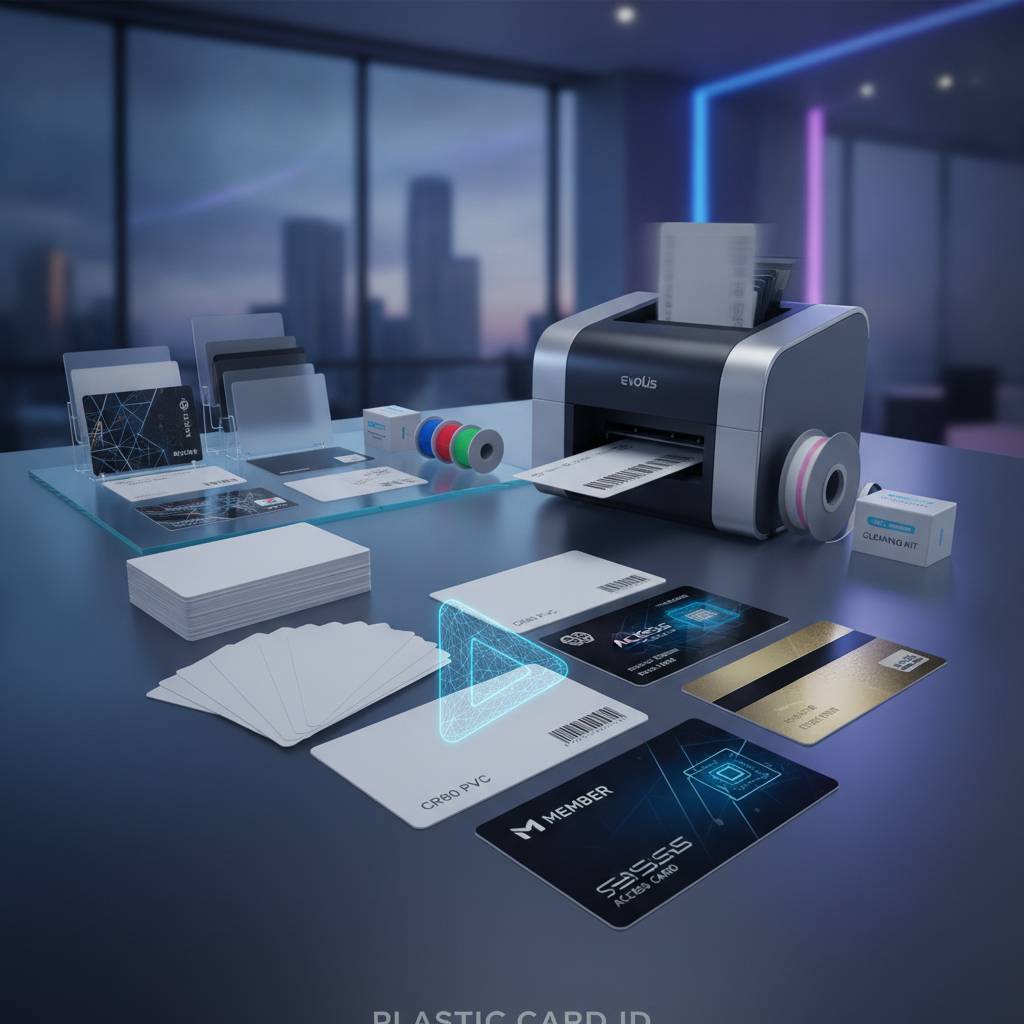
A plastic card printer is a specialized hardware device designed to print, encode, and personalize PVC cards to a professional standard. These are not glorified inkjet machines. They use thermal transfer or dye-sublimation technology to bond color panels directly into card surfaces, producing crisp, durable results that look and perform exactly like the credentials issued by major corporations and institutions nationwide.
The Core Technology Behind Card Printing
Most professional card printers operate using dye-sublimation technology - a process where heat is applied to a color ribbon, causing dye to vaporize and infuse directly into the card surface at a molecular level. The result is a continuous-tone image with smooth gradients, sharp text, and photographic-quality portraits. This is fundamentally different from standard office printing, which sits on top of paper rather than bonding to the medium.
Thermal transfer printing is another method used in certain monochrome or overlay applications. In this process, resin is transferred from a ribbon onto the card surface under heat, producing razor-sharp text and barcodes that resist scratching and fading. Many printers combine both technologies in a single pass, handling full-color images alongside durable overlay coatings in one seamless operation.
What Kinds of Cards Can These Printers Produce?
The range of card types a plastic card printer can produce is surprisingly broad. Organizations use them to create employee ID badges, student identification cards, hotel room key cards, event credentials, membership cards, loyalty cards, and access control credentials. Each card type may require different encoding capabilities or finish specifications - and modern printers are built to accommodate that variety.
Cards for physical access control, for instance, often require smart chip or magnetic stripe encoding embedded right into the print cycle. Hotel key cards need specific encoding standards. Membership and loyalty cards may prioritize full-color branding and barcode placement. A well-chosen printer handles all of these use cases without requiring separate specialized hardware for each.
Why Businesses Choose In-House Printing Over Outside Vendors
Printing cards in-house gives organizations a level of control that outside vendors simply cannot match. When a new employee starts, you print their card that morning. When a student loses their ID, you replace it in minutes. When an access level changes, the old card is revoked and a new one printed before the end of the day. That responsiveness is impossible when you rely on batch orders from third-party suppliers.
There are also meaningful cost advantages over time. The per-card cost of printing in-house - factoring in ribbon, card stock, and hardware amortization - typically undercuts vendor pricing significantly once volumes reach even modest levels. Organizations printing more than a few hundred cards per year almost always find the math favors bringing production in-house, and CPE has helped businesses across the country make that calculation clearly.
| Printer Model | Ideal Volume | Best Use Case | Notable Features |
|---|---|---|---|
| Evolis Badgy200 | Under 1,000 cards/year | Small businesses, clubs | Compact, budget-friendly |
| Evolis Zenius | 1,000-3,000 cards/month | Mid-size offices, schools | Single-sided, reliable output |
| Evolis Primacy2 | Up to 6,000 cards/month | Large enterprises, universities | Dual-sided, magnetic stripe encoding |
| Evolis Agilia | High-volume, premium output | Corporate ID, prestige credentials | Edge-to-edge printing, top-tier quality |
| Fargo / Zebra Models | Variable | Security-focused ID programs | Robust encoding, tamper resistance |
| Matica Event Printer | High-speed bursts | Events, conferences, on-site badging | Fast throughput, on-demand |
Choosing the Right Plastic Card Printer for Your Organization
The single most common mistake buyers make is selecting a printer based on price alone without factoring in print volume. A unit priced attractively for occasional use will wear down quickly under daily production demands - and a high-throughput industrial printer is overkill for a small nonprofit printing 200 cards per year. Matching the printer to your actual volume and workflow is the most important decision you will make.
The good news is the current market offers genuinely excellent options at every tier. From compact entry-level units designed for organizations with light needs to powerful dual-sided systems handling thousands of cards monthly, there is a purpose-built solution for every scenario. What follows is a breakdown of how to think through that decision systematically.
Entry-Level Printers: Starting Small Without Sacrificing Quality
For organizations printing under 1,000 cards per year - a small gym, a regional nonprofit, a boutique hotel, a local school club - entry-level printers like the Evolis Badgy200 deliver clean, professional results without demanding a significant capital investment. These units are compact enough to sit on a front desk and simple enough for non-technical staff to operate confidently after minimal training.
Do not let the entry-level label mislead you. The print quality on these machines is genuine dye-sublimation, producing cards that look fully professional. The limitation is throughput and duty cycle, not output quality. If your volume is genuinely low, starting here is smart business - and scaling up later as needs grow is straightforward with the right supplier relationship behind you.
Mid-Range Workhorses: The Sweet Spot for Most Businesses
The mid-range tier is where the majority of professional card programs live, and for good reason. Printers like the Evolis Zenius and Primacy2 offer the ideal balance of speed, durability, feature availability, and cost. The Primacy2 in particular handles dual-sided printing and optional magnetic stripe encoding, making it a powerful all-rounder for organizations with varied card requirements.
A regional hospital printing staff badges, a university managing student IDs, a mid-size corporation issuing access control credentials - these are all natural fits for this tier. Monthly volumes in the 1,000-6,000 card range are handled comfortably, and the encoding options available in this class eliminate the need for separate card encoding hardware. CPE carries the full lineup and can help you match the right configuration to your workflow.
High-End and Industrial Systems: When Volume and Prestige Both Matter
Some organizations need more than competent output - they need best-in-class. The Evolis Agilia targets exactly that customer: organizations where card quality directly reflects brand prestige, security requirements are demanding, and production volume justifies premium hardware. Edge-to-edge printing, exceptional color accuracy, and superior lamination options make this class the right choice when there is no room for compromise.
For high-speed event badging - conferences, sporting events, trade shows - the Matica Event Printer solves a different problem entirely: speed at the point of registration. Meanwhile, Fargo and Zebra printers serve organizations with stringent security ID requirements, offering encoding and security feature options that align with government and corporate compliance standards. Understanding which problem you are actually solving makes choosing between these options considerably simpler.
Buyer Tips: Questions to Ask Before You Purchase
- What is your realistic monthly card volume? Overestimating leads to overspending; underestimating strains the hardware and shortens its lifespan.
- Do your cards need magnetic stripe encoding, smart chip encoding, or both?
- Will cards be printed single-sided or double-sided?
- What ribbon type do you need - full color YMCKO, monochrome, or specialty?
- Is lamination required for added durability or security overlays?
- Do you need an input hopper for automated batch printing, or is manual single-feed sufficient?
- What software ecosystem will the printer need to integrate with?
Understanding Printer Ribbons and Consumables
A plastic card printer is only as capable as the consumables loaded into it. Ribbons, cleaning kits, and optional lamination modules are not afterthoughts - they are integral to print quality, card longevity, and printer health. Understanding what each consumable does helps organizations budget accurately and avoid the common mistake of discovering mid-run that supplies have run out.
The most widely used ribbon type is YMCKO - Yellow, Magenta, Cyan, Black, and Overlay. This five-panel ribbon handles full-color photographic printing alongside a protective overlay coat applied in a single print pass. For cards requiring only text and barcodes, monochrome black or monochrome color ribbons dramatically reduce per-card cost while maintaining sharp, professional output.
YMCKO vs. Monochrome: Choosing the Right Ribbon
YMCKO ribbons are the standard choice for cards carrying photographs, full-color logos, and gradient artwork. They produce the kind of vivid, continuous-tone output associated with professional ID programs and branded loyalty cards. For any card where visual identity matters, YMCKO is the right call.
Monochrome ribbons serve a different purpose. Organizations printing high volumes of cards that require only text, barcodes, or single-color graphics - access control proximity cards, for instance - can cut consumable costs substantially by switching to monochrome output. Some programs use a combination strategy: full-color ribbons for initial card production, monochrome for replacement cards where photo updating is not required.
Cleaning Kits and Printer Maintenance
Regular cleaning is one of the simplest and most impactful ways to extend a printer's operational life. Dust, card debris, and ribbon residue accumulate on the print head and transport rollers over time, degrading print quality and eventually causing mechanical issues. Skipping cleaning cycles is one of the fastest ways to void a warranty and shorten hardware life.
Cleaning kits typically include pre-saturated cleaning cards and swabs designed to safely remove contaminants from sensitive internal components. Most manufacturers recommend a cleaning cycle after every ribbon change, which makes it easy to build the habit into normal workflow. CPE stocks cleaning kits for all major printer brands alongside the printers themselves, so your program never runs short of what it needs to stay running cleanly.
Lamination Modules and Encoding Upgrades
Lamination modules add a film overlay to printed cards, dramatically increasing durability and enabling security features like holographic overlaminates that resist counterfeiting. For organizations issuing long-life credentials - multi-year student IDs, long-term employee badges, government-adjacent access cards - lamination is often worth the added investment in hardware and consumables.
Encoding upgrades allow the same printer that handles color printing to simultaneously write data to magnetic stripes or smart chips embedded in the card. Contact 800.835.7919 to discuss which encoding configuration matches your card program's technical requirements - the team at CPE can walk through the options clearly without overwhelming you with unnecessary technical detail.
Card Types and Use Cases: Who Actually Needs a Plastic Card Printer?
The honest answer is: more organizations than you might expect. The plastic card printer market is not limited to large corporations with dedicated IT departments. Hospitals, schools, gyms, hotels, event organizers, retailers, and local governments all rely on in-house card production for programs that demand timeliness, personalization, and professional presentation.
What unites these users is a common need: the ability to produce professional credentials on demand, without waiting on outside vendors or meeting batch minimums. Whether you are managing 50 employees or 5,000 students, the operational benefits of in-house printing apply at every scale.
Employee ID and Access Control Programs
Employee ID programs represent one of the most common use cases for in-house card printing. Companies need to issue badges quickly for new hires, replace lost cards promptly, and update credentials when roles or access levels change. Waiting days or weeks for a vendor to fulfill a batch order creates real security and operational gaps that in-house printing eliminates entirely.
Access control cards - those encoded with proximity data that interacts with door readers - require precise encoding alongside professional print output. Printers with smart chip or magnetic stripe encoding modules handle both requirements in a single workflow, producing a finished access credential in the same operation that prints the photo and logo. That integration is one of the clearest advantages of modern professional card printers.
Schools, Universities, and Student ID Programs
Educational institutions face a unique version of the card printing challenge: large seasonal volumes followed by quieter periods, combined with the need to replace individual cards promptly throughout the year. A mid-range printer like the Evolis Primacy2 handles the bulk enrollment cycle comfortably while remaining practical for daily individual replacements between semesters.
Student IDs often serve multiple functions simultaneously - library access, meal plan tracking, building entry, age verification in some contexts. That multi-function nature typically requires magnetic stripe or smart chip encoding alongside standard print output, making an encoder-equipped mid-range printer the practical standard for this sector.
Hospitality, Events, and Membership Programs
Hotels depend on key card production as a core operational function. A printer capable of encoding hotel key card standards and producing a guest-ready credential in seconds is not a luxury - it is infrastructure. The Matica Event Printer takes that concept further, supporting the high-speed on-site badge printing that large conferences and events require when hundreds of registrants arrive within a narrow check-in window.
Membership and loyalty programs at gyms, retail clubs, and professional associations use card printing to reinforce brand identity and member belonging. A well-printed card with a crisp logo and a member's name and photo communicates professionalism and care in a way that a generic printed paper alternative simply cannot. In physical form, a quality card is still a meaningful brand touchpoint.
Frequently Asked Questions About Plastic Card Printers
Even buyers who have researched the market thoroughly often arrive at the purchase decision with a handful of practical questions that spec sheets do not answer. The following addresses the most common ones directly, based on what real customers ask when evaluating their options.
How Long Do Plastic Card Printers Last?
With proper maintenance - regular cleaning cycles, appropriate ribbon selection, and operation within the recommended duty cycle - a professional plastic card printer can deliver reliable service for five to ten years or more. The key variable is whether the printer is matched to the actual workload. Running an entry-level unit at high-volume daily production will shorten its life significantly; keeping it within its designed parameters extends it considerably.
Printer longevity is also influenced by consumable quality. Using manufacturer-approved ribbons and cleaning kits - rather than third-party alternatives that may not meet thermal specifications - protects the print head, which is typically the most expensive component to replace. CPE stocks OEM-grade consumables for all the printer brands it carries, removing the guesswork from that decision.
Can One Printer Handle Multiple Card Types?
Yes, and this is one of the most practical advantages of modern professional card printers. A single mid-range unit like the Evolis Primacy2 can print employee IDs in the morning, encode hotel key cards in the afternoon, and produce loyalty cards for an in-house promotion the following day - all using the same hardware with different card stock and ribbon configurations loaded as needed.
Versatility is one of the strongest arguments for investing in a quality printer rather than the cheapest available option. A printer capable of handling diverse card types justifies its cost across multiple programs simultaneously rather than serving a single narrow use case.
What Should I Budget for a Complete Card Printing Setup?
A complete entry-level setup - printer, initial ribbon supply, blank PVC card stock, and cleaning kit - can come together in the $500-$1,500 range depending on the specific model and consumable quantities. Mid-range setups with encoding capabilities and dual-sided printing typically fall in the $1,500-$4,000 range. High-end and industrial configurations scale from there based on throughput and feature requirements.
Ongoing consumable costs are the other half of the budget equation. A full-color YMCKO ribbon typically yields 200-300 prints, and ribbon pricing varies by brand and model. Blank PVC cards run roughly $30-$75 per 500-card box depending on card type. Building a realistic per-card cost model - including ribbon, card stock, and hardware depreciation - gives a clear picture of total program economics over time.
What Sets Plastic Card ID Apart After 25 Years in the Industry
There is a meaningful difference between a company that sells card printers and one that genuinely understands the programs those printers serve. Plastic Card ID has spent over 25 years building expertise in plastic card printing hardware, supplying more than 100,000 customers across the United States with printers, consumables, and accessories from Evolis, Fargo, Zebra, and Matica. That depth of experience shapes every recommendation made and every product stocked.
The curated product lineup reflects deliberate choices, not catalog padding. Every brand and model carried has earned its place by performing reliably for real customers in real business environments. When CPE recommends a printer for a specific use case, it is because that combination has proven itself repeatedly across similar deployments - not because it carries the highest margin or the most prominent brand name.
A Complete Supply Ecosystem, Not Just Hardware
A printer without a reliable supply chain behind it is a liability, not an asset. Plastic Card ID stocks the full ecosystem of what a card program needs to keep running: YMCKO and monochrome ribbons, cleaning kits, lamination films, encoding upgrade modules, input hoppers for automated batch production, and card carriers and sleeves for finished credential protection and presentation.
That completeness matters operationally. Running out of ribbon mid-program or waiting on a cleaning kit while print quality degrades are avoidable problems when your supplier stocks everything you need and ships reliably. Organizations across every sector have found that consolidating their card program supply chain through a single knowledgeable vendor simplifies procurement and reduces the risk of production interruptions.
Serving Organizations of Every Size
The customer base CPE serves spans from solo practitioners printing a few dozen cards per year to enterprise operations managing tens of thousands of credentials annually. That breadth is intentional. The product lineup is structured to serve every tier of that spectrum with hardware that is genuinely appropriate for the scale and budget involved, not upsold beyond actual need.
Small organizations get honest guidance toward cost-appropriate entry-level solutions rather than being pushed toward hardware they do not need. Large enterprises get access to industrial-grade options and the expertise to configure them correctly. Matching the right solution to the actual need is the foundation of every customer conversation.
Call the Team That Knows Card Printing
Whether you are evaluating your first plastic card printer or upgrading an established program, talking through your requirements with someone who knows the hardware thoroughly saves time and prevents costly mismatches. Reach the team at 800.835.7919 to discuss volume requirements, encoding needs, ribbon selection, and everything else that shapes the right configuration for your organization's specific situation.
Ready to take control of your card program? The knowledge and hardware are both available through one trusted source.
Start Your Card Program with Confidence - Plastic Card ID
A plastic card printer is not a complicated purchase once you understand what you actually need. Volume, encoding requirements, card type, and budget - answer those four questions honestly, and the right hardware becomes clear. Plastic Card ID has helped more than 100,000 businesses work through exactly that process, and the result is a card program that runs reliably, produces professional results, and costs less over time than dependence on outside vendors ever could.
From the Evolis Badgy200 for light-use programs to the Evolis Agilia for organizations demanding the absolute best, from Fargo and Zebra security-focused systems to the Matica Event Printer for high-speed on-site credentialing, the full range is available with the expertise to match it to your needs. Call 800.835.7919 today and let Plastic Card ID put the right plastic card printer to work for your organization.
Previous Page