Plastic Card Printer: Everything You Need to Know
Table of Contents []
- Why Plastic Card ID Is the Name Businesses Trust for Plastic Card Printers
- Understanding Plastic Card Printers: The Technology Behind the Card
- The Printer Lineup: From Entry-Level to Industrial
- Supplies, Consumables, and the Hidden Cost of Card Printing
- Applications: What Are Organizations Actually Printing?
- Buyer's Guide: How to Choose the Right Plastic Card Printer
- Ready to Build Your Card Program? Plastic Card ID Has Everything You Need
Why Plastic Card ID Is the Name Businesses Trust for Plastic Card Printers
Walk into almost any organization that prints its own ID cards in-house, and there is a good chance the hardware sitting on that desk came from Plastic Card ID. With more than 25 years supplying professional-grade plastic card printers to businesses across the United States - and a customer base that has grown past 100,000 - PCID has quietly become the backbone of countless card programs nationwide.
What sets this company apart is not just longevity. It is the depth of the catalog, the caliber of the brands carried, and the ability to match any organization, from a small fitness studio to a sprawling hospital network, with the exact printing solution they need. No guesswork. No over-spending on capacity you will never use. Just a precise, well-supported tool that gets the job done every single day.
Whether you are printing employee badges, loyalty cards, student IDs, or hotel key cards, the right plastic card printer changes everything about how efficiently your organization operates. Lead times disappear. Control returns to your hands. And every card that comes off the printer reflects your brand at its best.
| Printer Model | Best For | Volume Range | Key Features |
|---|---|---|---|
| Evolis Badgy200 | Small orgs, low volume | Under 1,000 cards/year | Compact, easy setup, single-sided |
| Evolis Zenius | Growing mid-size teams | 1,000-3,000 cards/month | Single-sided, encoding-ready |
| Evolis Primacy2 | Active ID programs | Up to 6,000 cards/month | Dual-sided, mag stripe, smart chip |
| Evolis Agilia | Premium output required | High volume, edge-to-edge | Highest print quality, full bleed |
| Fargo / Zebra | Security ID programs | Variable, scalable | Robust, security-focused features |
| Matica Event Printer | On-site event badging | High-speed bursts | Fast throughput, on-demand printing |
Understanding Plastic Card Printers: The Technology Behind the Card
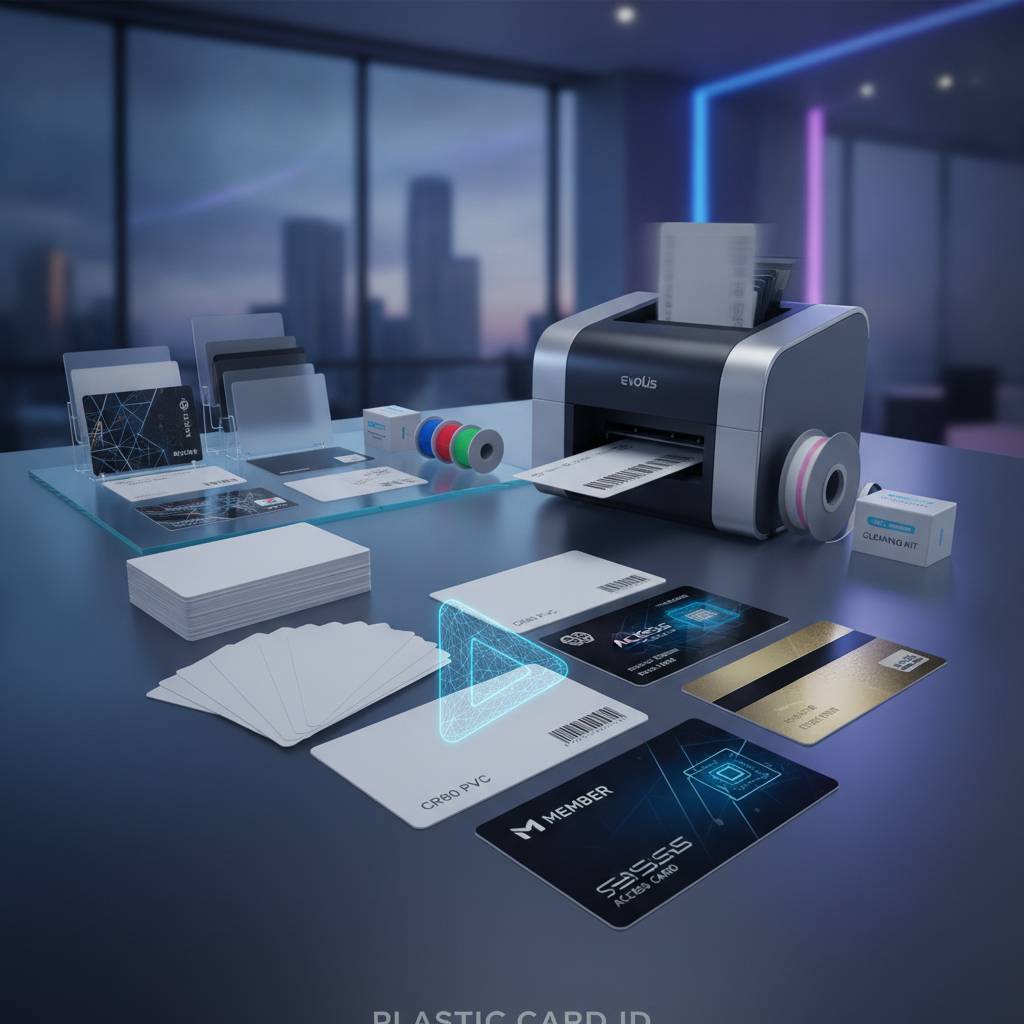
A plastic card printer is a specialized piece of hardware engineered to transfer full-color or monochrome graphics, text, and encoding data onto PVC card stock - the same durable material used in standard CR80 format cards. Unlike an ordinary desktop printer, these machines use dye-sublimation or thermal transfer technology to produce results that are sharp, professional, and built to last under daily handling.
The process sounds simple, but the engineering is serious. Ribbon panels carry color dyes - yellow, magenta, cyan, and often a clear overlay coat - that are transferred to the card surface under precise heat control. The result is a card that looks and feels like something produced by a commercial card bureau, except you printed it yourself, on demand, in your own office.
Dye-Sublimation vs. Thermal Transfer
Most professional card printers sold by CPE use dye-sublimation, which produces continuous-tone color gradients ideal for photo ID cards. Thermal transfer, by contrast, deposits a thin ink layer rather than diffusing dye into the card surface, making it suitable for barcodes and text-heavy card designs.
Knowing which method your application demands helps narrow down the right model quickly. For a membership card with a full-color member photo, dye-sub wins every time. For a simple access control card with a barcode and a name, thermal monochrome ribbons keep costs low and throughput high.
YMCKO Ribbons and What They Actually Do
The standard ribbon type for full-color plastic card printing is YMCKO - Yellow, Magenta, Cyan, blacK, and Overlay. Each panel serves a purpose: the color panels build the image, the black panel sharpens text and barcodes, and the overlay laminate seals the print surface against wear, UV light, and smudging.
Specialty ribbons expand the possibilities. Monochrome ribbons in black, blue, red, or gold reduce cost-per-card dramatically for single-color applications. Some ribbons include security features like UV-reactive panels or holographic overlays, adding an additional layer of card authenticity that cannot be easily duplicated.
Card Encoding: Magnetic Stripe and Smart Chip Options
Printing is only part of the story for many organizations. Magnetic stripe encoding transforms a printed badge into a functional access credential, hotel key, or loyalty card - all in a single pass through the printer. Encoding modules can be added to mid-range and higher models, including the Evolis Primacy2, making the upgrade path clean and cost-effective.
Smart chip encoding takes things further, writing data directly to a contactless or contact chip embedded in the card. This supports higher-security access control programs, student IDs tied to campus payment systems, and employee credentials that double as authentication tokens. Call 800.835.7919 to discuss which encoding configuration fits your specific program requirements.
The Printer Lineup: From Entry-Level to Industrial
Choosing the right printer is less about brand loyalty and more about matching the machine's capabilities to your realistic card volume and quality requirements. CPE carries a deliberately curated lineup - not a sprawling catalog of marginal options, but a focused selection of proven performers from Evolis, Fargo, Zebra, and Matica.
Each brand brings a distinct strength to the table. Evolis dominates the mid-market with elegant, reliable hardware. Fargo and Zebra bring security-grade robustness to enterprise ID programs. Matica's event printer is in a class of its own for high-speed, on-site credential production. Together, they cover every meaningful use case a business might encounter.
Entry-Level: Evolis Badgy200
The Badgy200 is the practical starting point for organizations printing fewer than 1,000 cards per year. Small nonprofits, boutique gyms, local libraries, and community organizations find it easy to set up and use, with software bundled in and a compact footprint that fits on any desk without drama.
Do not let the entry-level label fool you - the output quality is genuinely professional. Cards emerge looking polished and durable, ready for lanyard clips or cardholder sleeves the same day you print them. For the organization that needs occasional, high-quality badge production without investing in industrial hardware, the Badgy200 is a well-calibrated answer.
Mid-Range Workhorses: Evolis Zenius and Primacy2
Step up the volume and the Zenius enters the picture. Handling 1,000 to 3,000 cards per month with ease, it introduces encoding-ready architecture and a smooth single-sided output that works beautifully for employee ID programs, membership cards, and loyalty applications. The hardware feels solid, and the print consistency over long runs is impressive.
The Primacy2 pushes to 6,000 cards per month, adds dual-sided printing as an option, and fully supports magnetic stripe and smart chip encoding in the same pass. For a mid-size organization with an active, evolving card program, the Primacy2 is often the single best investment on the market today. It scales with you rather than forcing an upgrade after two years.
Premium and High-Throughput: Evolis Agilia and Matica Event Printer
When edge-to-edge, full-bleed printing quality is non-negotiable - think premium loyalty programs, high-end membership tiers, or corporate ID cards that genuinely impress - the Evolis Agilia delivers. The output is the finest available from a desktop-class card printer, with color rendering and surface finish that rival commercial card bureau production.
The Matica Event Printer occupies a unique niche: on-site badge production at scale and speed. Conferences, trade shows, large-scale corporate events, and graduation ceremonies all benefit from a printer that can produce hundreds of credentials per hour without breaking a sweat. When time is the constraint and volume is the challenge, Matica answers both.
Supplies, Consumables, and the Hidden Cost of Card Printing
Purchasing a printer is only the beginning. The ongoing cost of card printing - and frankly the ongoing quality of your cards - depends almost entirely on the consumables you use. Using the right supplies consistently is what separates a card program that runs smoothly for years from one that generates headaches every few months.
Plastic Card ID supplies everything downstream of the printer purchase: ribbons in every configuration, cleaning kits, lamination modules, encoding upgrades, input hoppers, and card carriers and sleeves. This matters because sourcing consumables from mismatched third parties is a common and surprisingly costly mistake.
Printer Ribbons: Matching the Ribbon to the Job
YMCKO ribbons are the workhorse for full-color card programs, but they are not always the right choice. Monochrome ribbons reduce cost-per-card dramatically when color output is not required - ideal for access control cards, basic employee badges, or library cards where function beats aesthetics.
Specialty ribbons with UV panels or holographic overlays add visible and invisible security features that protect against counterfeiting. For organizations managing high-security environments, these ribbon options are not optional luxuries - they are practical necessities that pay for themselves in fraud prevention.
Cleaning Kits: The Maintenance Step Most Organizations Skip
Regular cleaning is the single most underrated factor in print quality and printer longevity. Dust, card debris, and ribbon residue accumulate on the print head and card transport rollers, causing banding, streaks, and eventually hardware degradation. A proper cleaning kit - used on schedule - prevents nearly all of these issues.
CPE stocks manufacturer-approved cleaning kits for every printer in the lineup. A cleaning session takes minutes and can add months or years to the operational life of a printer. Call 800.835.7919 if you want guidance on the right cleaning schedule for your specific model and print volume.
Lamination Modules and Card Protection
Lamination overlays extend the surface life of a printed card dramatically, protecting against scratching, fading, and peeling under heavy daily use. For cards that will be swiped, handled, or exposed to outdoor conditions - think event credentials, campus IDs, or contractor badges - lamination is a practical upgrade rather than a premium indulgence.
Certain Evolis and Fargo models support inline lamination modules that apply a protective film in the same pass as printing, adding no meaningful time to your workflow while significantly improving the durability of the finished card. It is one of those upgrades that once you have it, you will never want to print without it.
Applications: What Are Organizations Actually Printing?
The range of card programs supported by a good plastic card printer is broader than most people initially realize. When organizations understand what is possible, the question shifts from whether to bring card printing in-house to how quickly they can get it set up.
From healthcare to hospitality, education to enterprise security, the use cases are diverse - and the common thread is the need for personalized, professional, on-demand card production that no outside vendor can match for speed or flexibility.
Employee ID Cards and Access Control
Employee ID card programs are the most common application, and for good reason. When a new hire starts, you need a badge on day one - not in two weeks after an outside vendor processes your order. In-house printing means the card is ready when the employee walks through the door, complete with their photo, name, title, and any encoded access permissions.
Access control integration - via magnetic stripe or smart chip encoding - extends the badge from a visual credential to a functional security device. A single card can open doors, log time and attendance, authenticate network access, and serve as a visual ID simultaneously. That level of integration is only practical when you control the printing process yourself.
Membership, Loyalty, and Student ID Cards
- Gym and fitness center membership cards - personalized with member photo, barcode, and tier level for front-desk scanning
- Retail loyalty cards - printed on demand with customer name and encoded loyalty program data for immediate activation
- Library cards - cost-effective monochrome printing at low volume with barcode encoding for catalog system integration
- Student ID cards - dual-sided printing with photo, grade level, and smart chip encoding for cafeteria payment or library access
- Club and association membership cards - full-color, professional-grade output that communicates organizational prestige
Each of these programs shares a common benefit: the ability to print exactly the cards you need, exactly when you need them, without minimum order quantities or vendor lead times. For organizations with fluctuating membership or enrollment, that flexibility has genuine financial value.
Hotel Key Cards and Event Credentials
Hotel key cards represent one of the cleanest examples of where in-house plastic card printing pays for itself quickly. A mid-size property encoding and printing its own key cards eliminates the per-card cost markup from third-party vendors while gaining the ability to brand cards with current promotions, seasonal artwork, or room-specific information.
Event credentials - conference badges, trade show passes, festival wristband alternatives - benefit enormously from the speed of the Matica Event Printer. On-site registration lines shrink when badges print in seconds rather than being pulled from pre-printed stacks. Last-minute registrants get professional credentials rather than handwritten stick-on labels.
Buyer's Guide: How to Choose the Right Plastic Card Printer
The printer market can feel overwhelming at first glance, but the decision framework is actually straightforward once you anchor it to a few key variables. Volume, output quality, encoding requirements, and budget together point clearly toward the right model in almost every case.
What trips up buyers most often is over-specifying - purchasing a high-volume industrial printer for a program that produces 200 cards a year - or under-specifying, choosing an entry-level model that hits its ceiling within six months. CPE exists to help you get this right from the start.
Step One: Estimate Your Annual Card Volume Honestly
The single most important input to the buying decision is realistic annual print volume. Not theoretical maximum volume. Not aspirational growth projections. The number of cards you will genuinely print in the next 12 months, based on your current program or a realistic launch estimate.
Under 1,000 cards per year? Start with the Badgy200 and invest the saved budget in quality ribbons and supplies. Between 1,000 and 6,000 cards per month? The Zenius and Primacy2 range is your territory. Above that, or with specific quality requirements that demand the best output available? Move toward the Agilia or discuss industrial options directly.
Step Two: Define Your Encoding and Functionality Needs
Encoding requirements fundamentally shape the printer selection more than almost any other factor. A visual-only badge program can use a simpler, more affordable printer. A program that requires magnetic stripe encoding, smart chip writing, or both needs a model with the appropriate module installed or available as an upgrade.
Do not plan to add encoding later as an afterthought. Select a printer that either includes encoding or has a documented, manufacturer-supported upgrade path. Retrofitting an incompatible printer with encoding hardware is rarely straightforward and almost never cost-effective. Build the full functionality into the initial purchase decision.
Step Three: Factor in Total Cost of Ownership
The printer purchase price is the most visible line item, but it is rarely the largest cost over a three-to-five-year operating horizon. Ribbon costs, cleaning supplies, and card stock add up month over month. Understanding the cost-per-card for your chosen printer and ribbon combination before you buy gives you an honest picture of the program's real economics.
A printer priced at $400 with a cost-per-card of $0.80 will cost more over 5,000 cards than a printer priced at $700 with a cost-per-card of $0.45. Do the math for your volume, and the right answer often surprises people. Plastic Card ID can help you run those numbers before you commit. Call 800.835.7919 to speak with someone who knows this math cold.
Ready to Build Your Card Program? Plastic Card ID Has Everything You Need
More than 100,000 organizations across the United States have trusted Plastic Card ID to supply their plastic card printing hardware, consumables, and accessories. That is not a marketing number - it is the cumulative result of 25-plus years of showing up with the right products, the right knowledge, and the genuine commitment to helping customers print better cards.
Whether you are launching a card program from scratch, replacing aging hardware, or scaling up an existing operation, the combination of CPE's curated printer lineup and complete consumables supply makes it possible to do everything in one place. No hunting across multiple vendors. No compatibility guesswork. Just the right tools, delivered by people who understand what you are trying to accomplish.
The best time to upgrade your card program is today. Every day you rely on an outside vendor for cards is a day you are paying someone else for speed and control you could own yourself. The investment is smaller than most organizations expect, and the operational benefits show up immediately.
Contact Plastic Card ID now at 800.835.7919 to speak with a product specialist who will help you identify the right plastic card printer, ribbons, and accessories for your specific program. Your next great card is closer than you think.
Previous Page