How Does a Plastic Card Printer Work? Explained Simply
Table of Contents []
- What Really Happens Inside a Plastic Card Printer - And Why It Matters for Your Business
- The Core Printing Technology: Dye Sublimation Explained
- Retransfer Printing: The Premium Alternative
- Encoding Technology: Making Cards Do More Than Look Good
- The Complete Card Printer Ecosystem: Hardware Beyond the Printer Itself
- Choosing the Right Printer for Your Print Volume
- Why In-House Card Printing Beats Outsourcing - Every Time
- Get Expert Guidance from Plastic Card ID - Your Long-Term Card Program Partner
What Really Happens Inside a Plastic Card Printer - And Why It Matters for Your Business
Most people hand over a plastic ID card without a second thought. Swipe, tap, glance - done. But behind that unremarkable rectangle of PVC lies a surprisingly precise manufacturing process, one that your organization can own entirely in-house. Understanding how a plastic card printer works isn't just a technical curiosity; it's the foundation for making smart purchasing decisions, running a cost-effective card program, and producing professional credentials that actually hold up in the real world.
Plastic Card ID has spent over 25 years helping businesses across the United States navigate exactly this landscape. With more than 100,000 customers served and a curated lineup of professional-grade hardware from Evolis, Fargo, Zebra, and Matica, CPE is the kind of partner that knows the difference between a printer that looks good on a spec sheet and one that actually performs under pressure. This page breaks down the mechanics, the technology, and the decisions that separate a thriving card program from a frustrating one.
| Printer Model | Print Technology | Cards Per Month | Ideal Use Case |
|---|---|---|---|
| Evolis Badgy200 | Dye Sublimation | Up to 1,000/year | Small offices, clubs |
| Evolis Zenius | Dye Sublimation | 1,000-3,000/month | Mid-size organizations |
| Evolis Primacy2 | Dye Sublimation Encoding | Up to 6,000/month | Corporate, access control |
| Evolis Agilia | Edge-to-Edge Dye Sub | High volume | Premium ID, brand-critical cards |
| Fargo / Zebra Models | Dye Sub Resin | Varies | Security-focused ID programs |
| Matica Event Printer | Retransfer | High-speed bursts | Event credentials, on-site badging |
The Core Printing Technology: Dye Sublimation Explained
At the heart of virtually every professional plastic card printer is a process called dye sublimation - and it behaves nothing like the inkjet printer sitting on your desk at home. Rather than spraying liquid droplets onto a surface, dye sublimation uses heat to transform solid dye directly into a gas, which then bonds at the molecular level into the surface of a PVC card. The result is a printed image that is genuinely embedded in the card material, not sitting on top of it.
This distinction is critical. A card printed via dye sublimation resists smearing, peeling, and fading in ways that ink-on-surface methods simply cannot match. For employee IDs, access control cards, membership credentials - anything expected to survive daily handling, wallet friction, or outdoor exposure - dye sublimation is the professional standard. It's why organizations serious about their card programs consistently choose this technology over cheaper alternatives.
How the Ribbon Drives the Process
The printer ribbon is the key consumable in any dye sublimation system. A typical YMCKO ribbon contains five panels per card cycle: Yellow, Magenta, Cyan, black resin (K), and a clear Overlay (O). The printhead moves across each panel in sequence, applying precise heat levels that vaporize specific dye quantities and transfer them to the card surface with stunning accuracy.
The overlay panel - often overlooked by first-time buyers - is what gives finished cards their characteristic hard, glossy finish. It also provides a critical layer of protection against UV degradation and abrasion. Skipping a lamination overlay is a false economy that shortens card lifespan considerably. CPE stocks a full range of YMCKO, monochrome, and specialty ribbons to keep any card program running efficiently.
Color Mixing and Image Precision
One of the genuinely impressive aspects of dye sublimation is its ability to produce continuous-tone color. Unlike inkjet or laser printing, which simulate shades through dot patterns, dye sublimation controls the heat applied to each pixel-sized area of the ribbon, varying the quantity of dye transferred and effectively blending colors with photographic smoothness.
This is why headshots on ID cards printed via dye sublimation look like actual photographs - because in every meaningful technical sense, they are. The process supports thousands of color variations per pixel, which is what allows accurate skin tones, vibrant brand colors, and crisp gradient logos to reproduce faithfully on a card that's 3.375 inches by 2.125 inches.
Monochrome Printing: Speed and Economy for Text-Heavy Cards
Not every card requires full-color output. Visitor badges, temporary credentials, and simple text-plus-barcode cards are often printed using single-panel monochrome ribbons - typically black resin. These ribbons print faster, cost less per card, and still produce crisp, scannable barcodes and sharp text. For organizations running two types of card output, some printer models support both ribbon formats with a simple swap.
The economics here matter. A monochrome ribbon might yield 1,000 cards for significantly less cost than a full YMCKO ribbon producing the same volume. Understanding when full color is necessary versus when monochrome suffices can meaningfully reduce consumable costs over the life of a card program - something CPE is happy to help organizations calculate before purchasing.
Retransfer Printing: The Premium Alternative
While dye sublimation is the dominant technology in desktop and mid-range card printers, a second method - retransfer printing - delivers distinct advantages for specific applications. In a retransfer printer, the image is first printed onto a clear retransfer film, and that film is then bonded to the card surface using heat and pressure. The card itself never touches the printhead directly.
This indirect process produces true edge-to-edge printing without the small unprinted borders common in direct-to-card systems. It also handles non-standard card surfaces - smart cards, cards with embedded chips or uneven surfaces - without risking printhead damage. For high-security ID programs and premium event credentials, retransfer quality is visibly superior. The Matica Event Printer leverages this technology to produce high-speed, high-quality badges on-site at events where volume and visual impact are both essential.
When Retransfer Makes More Sense Than Dye Sublimation
The choice between retransfer and direct dye sublimation isn't simply about quality - it's about application. Retransfer printers are generally more expensive upfront and have a higher per-card consumable cost. But for organizations printing access control cards with embedded smart chips, or event credentials where full-bleed visual impact is non-negotiable, the premium is entirely justified.
Organizations printing straightforward employee IDs or membership cards where borderless printing isn't critical will find that direct dye sublimation printers deliver excellent results at a lower total cost. The key is matching the technology to the actual requirements - something that becomes obvious once you understand what each process is actually doing to the card.
Surface Bonding and Card Durability
Because retransfer film completely covers the card face, the printed surface is inherently more protected than on a direct dye sublimation card. The film itself acts as a protective layer over the printed image, making retransfer cards particularly resistant to abrasion, chemical exposure, and UV fading even without an additional laminate overlay.
For cards that live in harsh environments - manufacturing floor access badges, outdoor event credentials, cards that go through card readers dozens of times daily - this surface durability translates into measurably longer card lifespan and fewer reprint cycles. Over time, that durability can offset the higher per-card consumable cost of retransfer printing.
The Matica Advantage for Event Badging
On-site event badging is one of the most logistically demanding card printing scenarios that exists. Hundreds or thousands of credentials need to be produced quickly, accurately, and on demand - often while attendees are literally waiting in line. The Matica Event Printer is specifically engineered for this environment, combining high-speed retransfer output with the durability needed for credentials that need to survive a full multi-day event.
For event organizers, conference managers, and venue staff who've struggled with slow on-site badge printing or pre-printed credentials that don't match attendee details, the Matica system represents a fundamental upgrade in operational control. Call Plastic Card ID at 800.835.7919 to discuss whether the Matica Event Printer fits your next event.
Encoding Technology: Making Cards Do More Than Look Good
Printing a great-looking card is only part of what modern card printers can do. Many organizations need their cards to carry functional data - access permissions, identity verification, loyalty points, or time-and-attendance records. This is where encoding technology transforms a printed card into an active tool in your operational infrastructure.
Card printers from CPE's lineup support several encoding options that can often be integrated directly into the printing workflow, encoding each card in the same pass as it's being printed. This simultaneous print-and-encode capability is one of the strongest arguments for in-house card production over outsourcing to a card vendor.
Magnetic Stripe Encoding
Magnetic stripe encoding writes data to the stripe on the back of a card using a magnetic write head integrated into the printer. This is the same fundamental technology that has powered hotel key cards, loyalty cards, and access control cards for decades. It's reliable, widely supported by card readers and access systems, and inexpensive to implement on supported printer models.
The Evolis Primacy2 and several Fargo and Zebra models support magnetic stripe encoding as either a standard feature or an optional upgrade module. For organizations already operating mag stripe card reader infrastructure, in-house encoding eliminates the dependency on pre-encoded card stock from external suppliers and gives complete control over what data lives on each card.
Smart Card and Chip Encoding
Contact smart card encoding writes to an embedded microchip via a physical connection made inside the printer. Contactless smart card encoding uses near-field radio frequency to write to an RFID chip embedded in the card body - no physical contact required. Both technologies support far greater data capacity and security capability than magnetic stripes.
For high-security access control, multi-application employee badges, and student ID programs that need to carry library access, meal plan data, and building permissions on a single card, smart card encoding is the appropriate choice. The printer handles encoding in-line with printing, so the finished card is a complete, functional credential the moment it exits the output tray.
Buyer Tip: Encoding Upgrade Modules
- Check your existing infrastructure first - if your card readers are mag stripe only, adding smart card encoding to your printer won't be useful until the readers are upgraded.
- Order encoding modules at purchase time when possible - retrofitting encoding into some printer models after initial purchase can cost more than specifying it upfront.
- Confirm that your card design software supports encoding workflows - the printer hardware and the software need to be coordinated for simultaneous print-and-encode to work seamlessly.
- Consider dual-sided printing alongside encoding for cards that carry both a printed identity on the front and machine-readable data on the stripe or chip.
- For access control specifically, confirm compatibility between the printer's encoding output format and your access control system's reader standards before purchasing.
The Complete Card Printer Ecosystem: Hardware Beyond the Printer Itself
A card printer is the centerpiece of an in-house card program, but it's not the whole picture. Professional card production relies on a coordinated set of consumables and accessories - and understanding what these components do helps organizations budget accurately and avoid the frustration of running out of a critical supply at the worst possible moment.
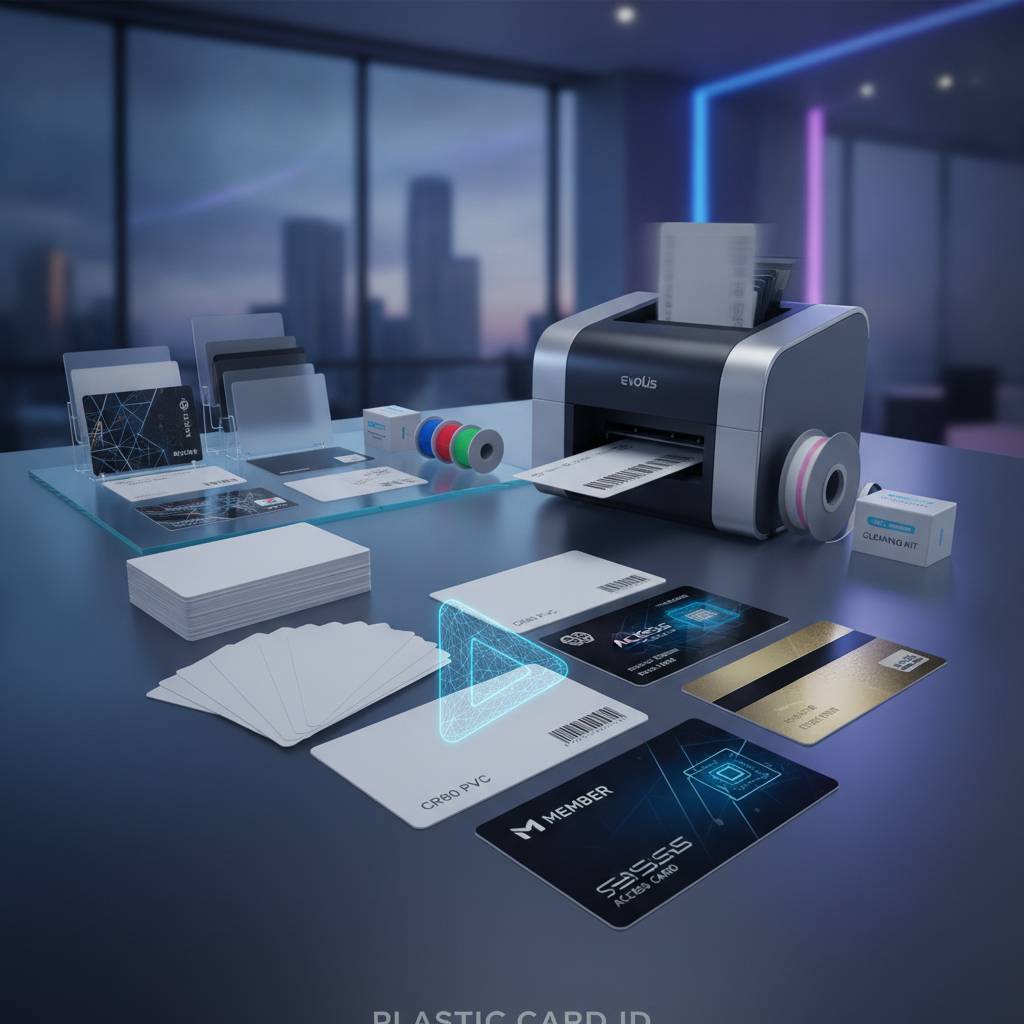
Plastic Card ID supplies everything needed to keep a card program running: ribbons, cleaning kits, lamination modules, input hoppers for automated feeding, and card carriers and sleeves for protecting finished credentials. Treating the printer as the only purchase in a card program is a common mistake that creates operational headaches down the line.
Printer Ribbons and Their Lifespan
A ribbon's yield - how many cards it produces before needing replacement - directly affects your per-card cost. YMCKO ribbons for desktop printers typically yield 100-250 cards per ribbon. Higher-volume models use larger ribbon rolls yielding 500-1,000 cards. Monochrome ribbons generally yield more cards per roll at a lower cost. Calculating ribbon cost per card is essential to accurate budgeting for any card program.
Ribbon storage matters too. Heat, humidity, and dust can degrade ribbons before they're even installed, reducing yield and print quality. Keeping a reasonable stock of ribbons on hand - without over-ordering - requires understanding your actual print volume and working with a supplier like CPE who can advise on stocking levels that match your usage patterns.
Cleaning Kits and Maintenance Cycles
Plastic card printers rely on clean card transport paths and clean printheads to produce consistent output. Dust, card debris, and residual dye particles accumulate inside the printer over time and degrade print quality if not addressed. Most printer manufacturers specify a cleaning cycle interval - typically every 500 to 1,000 cards - using cleaning cards that scrub the transport rollers and internal pathways.
Printhead cleaning is equally important. A printhead that has accumulated residue from ribbon panels will produce banding, streaking, or missing color sections in printed output. Regular maintenance using manufacturer-approved cleaning kits is the single most effective way to extend printhead life, and printhead replacement is one of the more significant repair costs a card program can face if maintenance is neglected.
Input Hoppers and Lamination Modules
For organizations printing in batches rather than one card at a time, an input hopper dramatically improves workflow efficiency. Hoppers hold stacks of blank cards and feed them automatically into the printer, allowing unattended batch printing of dozens or hundreds of cards without manual feeding. High-volume operations simply cannot function efficiently without this capability.
Lamination modules add an additional protective film layer over the printed card face after printing. This extends card life, adds a visual upgrade with options like holographic overlaminates, and provides a tamper-evident security feature that makes credential duplication more difficult. For organizations printing security credentials or cards that need to survive extended daily use, lamination is a worthwhile investment.
Choosing the Right Printer for Your Print Volume
Volume is the single most important variable in choosing a card printer. Buying a low-volume desktop unit for a program that needs to produce 3,000 cards per month will result in premature wear, frustrated staff, and a printer that needs replacement far sooner than it should. Conversely, over-specifying a high-throughput industrial system for an organization printing 200 cards a year is unnecessary spending.
The good news is that the market has produced well-defined tiers that map cleanly onto organizational needs. Understanding where your actual print volume falls - and where it's likely to grow - is the starting point for every card printer recommendation CPE makes.
Low-Volume: Up to 1,000 Cards Per Year
The Evolis Badgy200 is the benchmark entry-level card printer for organizations with modest print needs: small businesses, nonprofits, clubs, educational programs, and startups building a card program from scratch. It's compact, straightforward to operate, and produces professionally quality cards at a price point accessible to organizations that can't justify a larger upfront investment.
Low-volume doesn't mean low-quality. The Badgy200 produces the same dye sublimation output as more expensive models - the difference is throughput speed and duty cycle capacity, not the print quality of individual cards. For an organization printing 20-80 cards per month, this printer delivers everything needed without unnecessary complexity.
Mid-Range: 1,000 to 6,000 Cards Per Month
The Evolis Zenius and Primacy2 occupy the mid-range tier that covers the majority of professional card programs. Both models handle dual-sided printing, support encoding upgrades, and operate at print speeds appropriate for HR departments, school ID offices, healthcare facilities, and hospitality operations. The Primacy2 in particular is a remarkably capable workhorse for organizations that need consistent output day after day.
At this volume tier, operational reliability becomes more important than entry-level simplicity. Organizations printing thousands of cards per month need printers built for sustained duty cycles, with readily available replacement parts and consumables. This is where choosing a reputable supplier like Plastic Card ID - one that carries compatible consumables and can support the hardware - pays dividends over the lifetime of the program.
High-Volume and Premium Output
For organizations where card quality directly reflects institutional prestige - universities, major corporations, government agencies, premium hospitality brands - the Evolis Agilia delivers edge-to-edge output at a visual quality level that lower-tier printers can't match. It's designed for high-volume programs where every card is a representation of the organization's standards.
Fargo and Zebra models round out the high-volume tier with robust construction and strong compatibility with enterprise security infrastructure. These printers are frequently specified for law enforcement ID programs, corporate campuses with sophisticated access control systems, and healthcare networks where card-based identity verification is a compliance requirement.
Why In-House Card Printing Beats Outsourcing - Every Time
The fundamental argument for in-house card printing is control. When you own the hardware, you print on your schedule, not a vendor's production timeline. A new employee starts Monday? Their card is ready Monday. A membership card needs to be reissued because the original was lost? Done in minutes. A hotel guest needs a replacement key? Printed and encoded at the front desk while they wait.
This operational immediacy is something no external card vendor can replicate, regardless of how fast their shipping is. Plastic Card ID has watched organizations across virtually every industry make the switch from outsourced card procurement to in-house production and discover that the initial hardware investment pays for itself quickly - often within the first year - through eliminated vendor fees, rush charges, and minimum order requirements.
Personalization at Scale
In-house printing enables true per-card personalization that would be prohibitively expensive to outsource. Each employee ID can carry a unique photo, name, title, department, and encoded access level. Each loyalty card can be pre-loaded with a specific member number and account tier. Each student ID can include a unique barcode tied to the institution's database. Personalization is what makes a card useful rather than merely decorative, and in-house production makes it practical.
The card design software that drives most professional card printers supports database integration, pulling personalization fields directly from HR systems, membership databases, or student information systems. Once the template is configured, printing a batch of 500 individually personalized cards is as straightforward as printing a single generic card.
Total Cost of Ownership Over Time
A desktop card printer might cost $300-$800. A mid-range professional model might run $1,000-$2,500. A high-volume system could be $3,000-$8,000 or more. These numbers sound significant until they're compared against the ongoing cost of outsourcing card production - per-card vendor pricing, shipping fees, minimum orders, rush charges, and the hidden cost of the time your staff spends managing vendor relationships and tracking orders.
For organizations printing even a few hundred cards per year, the math typically favors in-house production within the first 12-18 months. For organizations printing thousands of cards per month, the return on investment is often achieved within weeks. Understanding total cost of ownership - hardware, consumables, and staff time - is the honest way to evaluate whether in-house printing makes financial sense for your specific program.
Supported Card Applications Across Industries
- Employee ID cards - photo ID with name, title, and encoded access permissions
- Student IDs - photo credentials with library access, meal plans, and building permissions
- Membership cards - branded cards for associations, gyms, clubs, and loyalty programs
- Hotel key cards - RFID or magnetic stripe room access encoded at check-in
- Access control cards - high-security credentials for restricted areas and time-and-attendance systems
- Event credentials and badges - on-site printed credentials for conferences, trade shows, and venues
- Visitor management badges - temporary credentials printed on demand at reception
Get Expert Guidance from Plastic Card ID - Your Long-Term Card Program Partner
Choosing the right card printer is a decision that will affect your operations for years. The wrong choice - the wrong technology for your volume, the wrong encoding for your infrastructure, the wrong vendor for your consumable support - creates friction, expense, and frustration that compounds over time. The right choice does the opposite: it creates a smooth, self-sufficient card program that your organization controls entirely.
Plastic Card ID brings over 25 years of focused expertise to every conversation. More than 100,000 customers across the United States have trusted CPE to match them with the right hardware from Evolis, Fargo, Zebra, and Matica - and to keep those programs running with the ribbons, cleaning kits, encoding modules, and accessories every program eventually needs. This isn't a generalist technology retailer recommending card printers as an afterthought. This is a company that knows card printing, specifically and deeply.
Ready to understand exactly which printer fits your program? Contact Plastic Card ID today at 800.835.7919 - a real conversation with people who know this industry inside and out.
Frequently Asked Questions About How Plastic Card Printers Work
Customers new to in-house card production often arrive with the same questions. How long does it take to print a card? Most desktop dye sublimation printers produce a single-sided card in 20-45 seconds; dual-sided cards take 40-90 seconds. How long do ribbons last in storage? Most manufacturers recommend using ribbons within 12-18 months of manufacture, stored in a cool, dry location away from direct sunlight.
Can any computer run a card printer? Most professional card printers connect via USB and are compatible with Windows operating systems; some models support network connection for shared access across departments. Do I need special card stock? Yes - card printers require CR80-standard PVC cards (the same dimensions as a credit card), not paper or standard ID-holder inserts. Using the correct card stock is essential for both print quality and printer longevity.
What to Expect When You Call
When you reach CPE at 800.835.7919, you're not navigating a call center script. The team walks through your actual use case - how many cards you print, what information each card needs to carry, whether you need encoding, whether dual-sided printing matters, and what your realistic budget looks like. From there, the recommendation is specific and honest: the model that fits, not the model with the best margin.
Post-purchase support includes guidance on setting up your first print run, selecting compatible consumables, and establishing a maintenance schedule that protects your hardware investment. A card printer is a long-term tool, and Plastic Card ID is a long-term partner - that's the relationship that keeps programs running smoothly for years rather than months.
Take the First Step Toward In-House Card Control
The shift from outsourced card production to in-house printing is one of the most straightforwardly beneficial operational upgrades an organization can make. Faster production, lower per-card costs, complete personalization, on-demand reprints, and total elimination of vendor dependency - these aren't theoretical benefits. They're the daily reality for the tens of thousands of organizations already printing with hardware supplied by CPE.
There's no better time to stop waiting on vendors and start controlling your own card program. The technology is mature, the hardware is proven, and the support is right here. Reach out to Plastic Card ID at 800.835.7919 and take the first step toward a card program that works exactly the way your organization needs it to.
Previous Page